
Top 10 Antidetect Browser Software Products 2026
Take a Quick Look
Independent 2026 ranking of the top 10 antidetect browsers, with fingerprint evidence, pricing, automation support, and clear use-case guidance.
Top 10 Antidetect Browser Software Products 2026
Antidetect browsers have moved from a niche tool for affiliate marketers to core infrastructure for e-commerce sellers, social media teams, scrapers, and agencies running dozens of accounts. The category is crowded, vendor claims are loud, and the difference between two tools that both "pass" a fingerprint checker can decide whether your accounts survive a platform review.
This ranking covers ten products that genuinely belong to the antidetect browser category. Each entry is tied to observable evidence: fingerprint test results from independent reviewers, published pricing, engine versions, and automation support. Where a tool sits outside the category — for example, AdsPower, which is an anti-detect browser for multi-accounting and is not ranked here — it appears only where a workflow decision makes it relevant.
How We Evaluated These Products
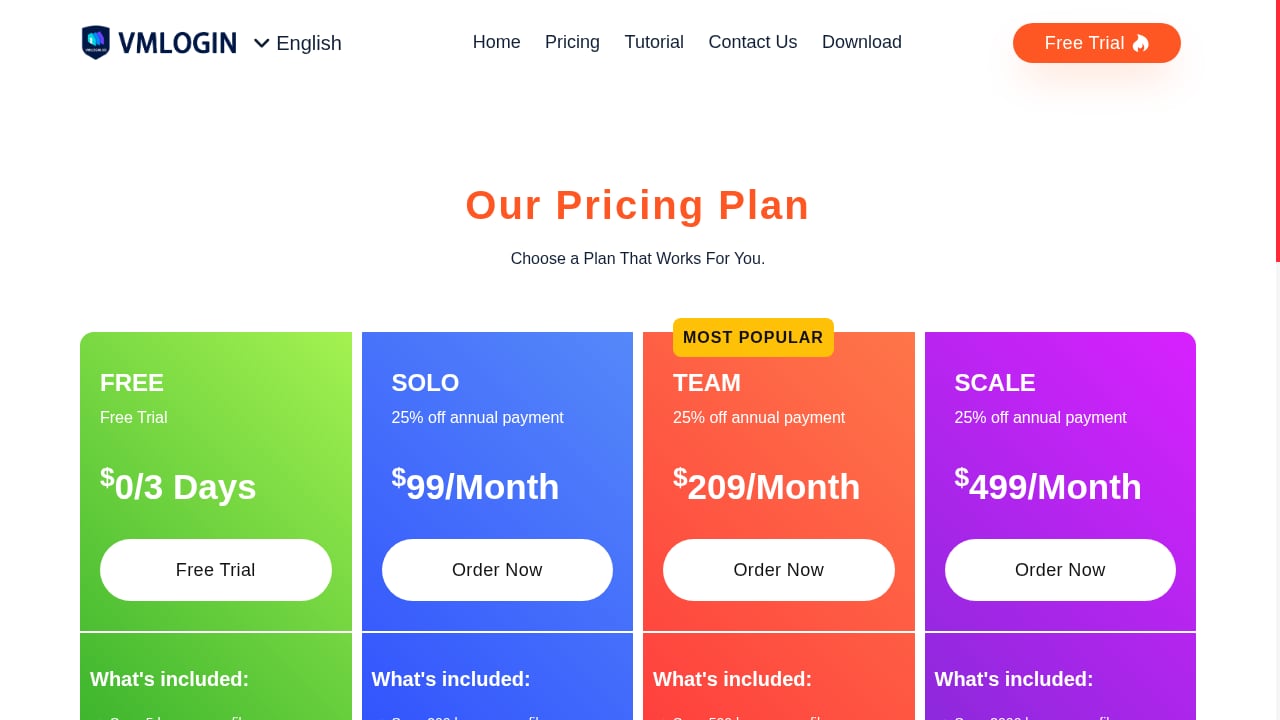
First viewport screenshot of pricing plan - Antidetect Multi-Login Browser.
No single test proves a browser is invisible. A profile can pass every public checker and still be stopped by Cloudflare, DataDome, or HUMAN once TLS handshakes and behavior come into play. With that caveat, the criteria below are the ones that actually separate tools in day-to-day use.
- Fingerprint consistency (30%): Does Canvas, WebGL, User-Agent, timezone, fonts, and hardware data hold together as one believable device? We reference third-party checker results from Pixelscan, Iphey, and CreepJS rather than vendor spec sheets.
- Engine freshness (15%): A browser stuck on an old Chromium build looks atypical next to real Chrome users. Reviewers tracked engine versions against the current stable release.
- Automation and API support (20%): REST APIs, Selenium, Puppeteer, Playwright, and local API access matter for scraping, media buying, and AI agent workflows.
- Profile isolation and team features (15%): Cookie, local storage, and cache separation per profile, plus sub-accounts, profile sharing, and transfer options.
- Pricing per profile (10%): The real cost of running 100 or 1,000 profiles, including free tiers and annual discounts.
- Platform coverage (10%): Windows, macOS, Linux, Android, iOS, and cloud phone options.
The Top 10 Antidetect Browsers in 2026
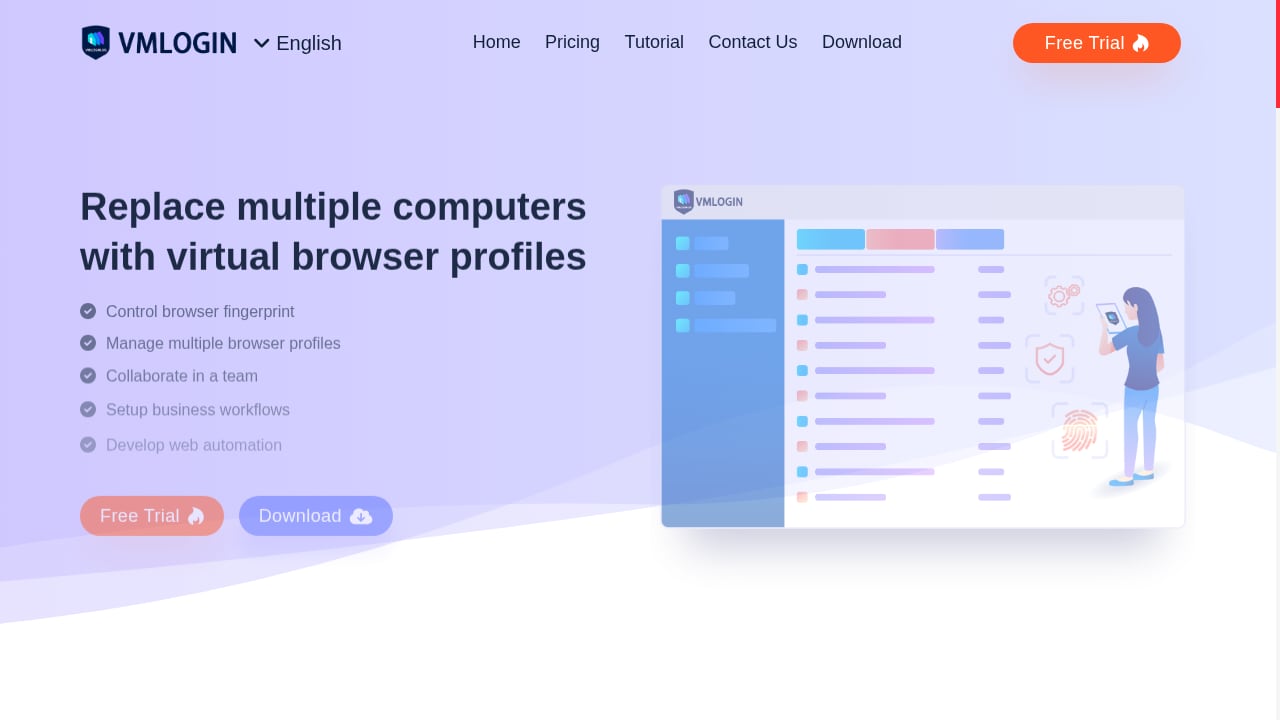
First viewport screenshot of vmlogin - Antidetect Multi-Login Browser.
1. Multilogin
Multilogin remains the reference point for high-stakes multi-account work. In one 2026 test round, a default macOS profile with a clean residential proxy passed Pixelscan, Iphey, and CreepJS cleanly, with CreepJS reading a genuine Apple GPU at high confidence — the strongest fingerprint result in that test. It runs Mimic (Chromium) and Stealthfox (Firefox) cores, supports Windows, macOS, and Linux, and offers a separate cloud Android phone product.
Automation is well documented: local and remote API, official Selenium, Puppeteer, and Playwright guides, plus CLI and Python tooling. The trade-off is cost and access. There is no free tier; the cheapest entry is a short paid trial, and team seats only start at higher plan levels. Best for agencies and teams where a single account loss outweighs the subscription price.
2. GoLogin
GoLogin is the strongest all-rounder for most readers. It runs the Orbita Chromium fork, offers a genuine free tier with a small number of persistent profiles, and is one of the few major providers with a native Android app that syncs with desktop profiles. Independent testing in October 2026 placed it among the browsers that passed Pixelscan, Iphey, and CreepJS in the same session.
Automation support is broad: REST API on paid plans, official Selenium and Puppeteer guides, a browser MCP for driving profiles from AI agents, and a scraping browser API. If you need one tool that covers desktop, mobile, and scripting without a steep learning curve, this is the default pick. For a head-to-head against a popular alternative, see our AdsPower vs Dolphin Anty comparison.
3. Octo Browser
Octo Browser earned its place by combining clean fingerprint results with a fast-moving engine. In the same October 2026 test round it passed all three checkers and was one of the few reviewed tools already running Chrome 154, the then-current stable release. That matters because an outdated engine is one of the easiest ways for a profile to stand out.
It offers Windows, macOS, Linux, and an iOS app, with API access starting from its base plan. There is no permanent free tier, only a short trial. It suits power users and teams that want real device parameters and quick profile creation without the premium price of Multilogin.
4. Dolphin Anty
Dolphin Anty is built around media buying and affiliate workflows, with a scenario-based automation builder that goes beyond simple profile launching. It runs a Chromium core, supports Windows, macOS, and Linux, and offers a free tier with a handful of profiles. Reviewers noted it was among the first to adopt Chrome 154, though one checker flagged its fingerprint as unreliable in a 2026 round — a reminder that engine freshness and fingerprint consistency are separate problems.
Its local and remote API plus scenario builder make it a strong fit for teams running repeatable ad-account operations. For a deeper comparison against a broader multi-accounting tool, read AdsPower vs Best Multiaccount Browser vs MoreLogin.
5. VMLogin
VMLogin is an antidetect multi-login browser designed to replace multiple computers or VPS instances with virtual browser profiles. Each profile isolates cookies, local storage, and cache files, so information does not leak between accounts. It supports unlimited unique fingerprints, batch profile creation, batch cookie import and export, profile sharing and transfer, and a basic REST API for automation.
Typical use cases are e-commerce, social media marketing, and affiliate advertising — anywhere multiple accounts need to run side by side on one machine. Pricing starts at $99/month for the Solo plan (200 profiles, 5 sub-accounts), rising to Team at $209/month (500 profiles, 10 sub-accounts) and Scale at $499/month (3,000 profiles, 20 sub-accounts), with custom plans available. Annual payment includes a 25% discount, and a free 3-day trial covers 5 profiles. The interface is available in English, Russian, Vietnamese, French, German, Korean, Thai, Simplified Chinese, Spanish, and Indonesian. It is a practical choice for small teams that want strong isolation without enterprise pricing.
6. Indigo
Indigo targets multi-accounting, traffic arbitrage, web scraping, bonus hunting, bounty and airdrop activities, e-commerce, digital agencies, and anonymity. It ships two browser cores — Stealthfox 146 and Mimic 148 — and maintains a regularly updated fingerprint database. Profiles are isolated, proxy support is built in, and cookie management and automation capabilities are included.
Indigo offers a free trial and paid licenses, with a knowledge base and technical support. Its documentation and community lean toward Russian- and English-speaking professionals in affiliate marketing, e-commerce, and web data extraction. If your work spans arbitrage and scraping rather than pure retail multi-accounting, Indigo's feature mix is worth testing.
7. Incogniton
Incogniton is a budget-friendly Chromium-based browser with a free tier that starts at 10 profiles for a limited period, then drops to a smaller persistent allowance. It supports Windows and macOS, and its API plus Selenium and Puppeteer support are available on higher plans. In a 2026 checker round it was flagged for proxy detection and timezone spoofing, so configuration discipline matters more here than with premium tools.
It fits solo operators and small teams that need many profiles at low cost and are willing to tune settings carefully. If you are comparing it against a broader multi-accounting workflow, our AdsPower vs Linken Sphere vs MuLogin breakdown covers similar decision points.
8. Nstbrowser
Nstbrowser is aimed at scraping and automation at scale. It runs a Chromium core, offers a generous free tier, and pairs a built-in unblocker with an RPA marketplace. Automation support includes RPA, API, Puppeteer, and Playwright, which makes it a natural fit for data extraction teams rather than pure account farming.
Its engine version has trailed the latest stable Chrome in independent testing, and one checker rated its fingerprint unreliable in a 2026 round. Even so, for teams whose primary job is collecting data rather than keeping logged-in accounts alive, the automation depth is the selling point. For a complementary approach, see how to combine anti-detect profiles with Scrapy spiders.
9. GeeLark
GeeLark stands out for running real cloud Android phones rather than emulated mobile browsers. That makes it the strongest option for mobile-first campaigns, app testing, and platforms where a desktop fingerprint is a liability. It supports Windows, macOS, and Linux clients plus cloud Android instances, with API access and automation templates.
The trade-off is engine age on the desktop side — one 2026 review measured its desktop engine as the oldest in that test — and a usage-based pricing model that can be harder to forecast. It is best treated as a mobile complement to a desktop antidetect browser rather than a full replacement.
10. Kameleo
Kameleo is a developer-oriented tool with multi-engine support: Chroma, Junglefox, and mobile browser emulation on desktop. It offers a local API and SDKs for Python, JavaScript, and C#, which appeals to teams embedding profile control into custom pipelines.
Its free tier is limited to a small number of concurrent browsers and monthly minutes, and paid plans bill in euros. In one 2026 test round the application failed to start on the reviewer's machine, so it is worth verifying compatibility before committing. For developers who need scriptable mobile emulation, it remains a credible niche pick.
Comparison: Which Antidetect Browser Fits Your Workflow?
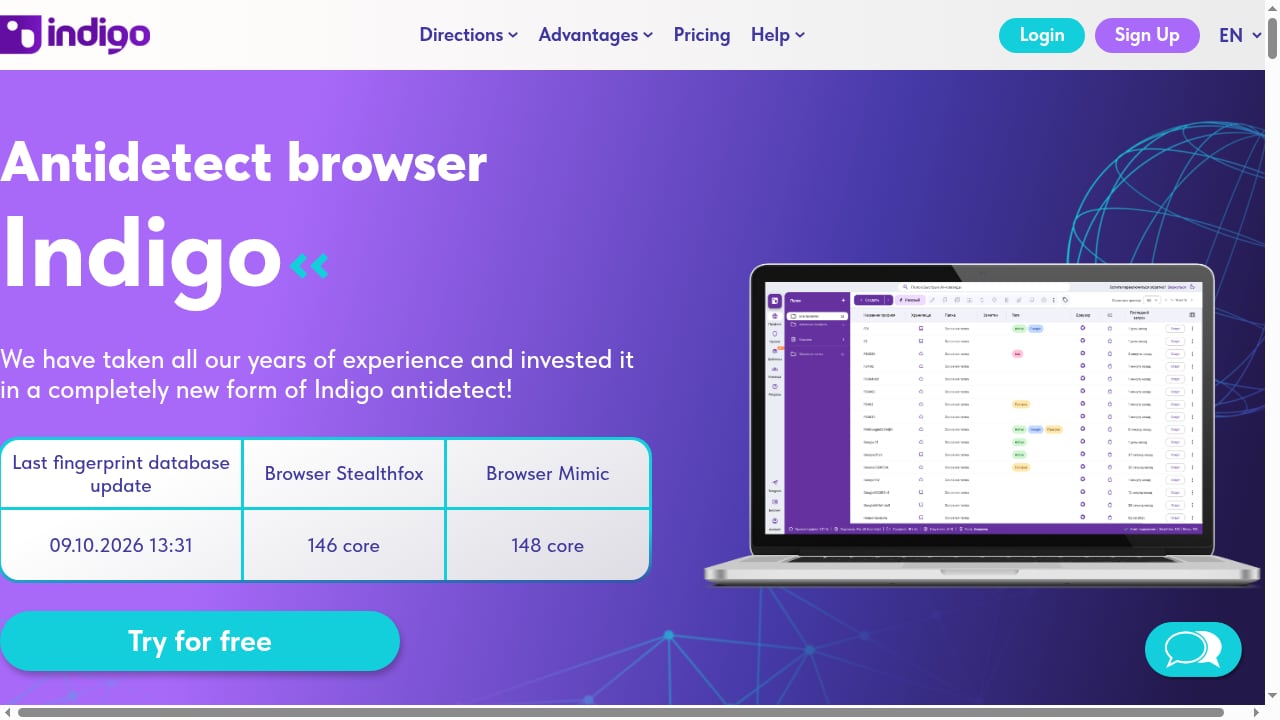
First viewport screenshot of Indigo антидетект браузер — мультиаккаунтинг и арбитраж.
| Tool | Best for | Free tier | Automation |
|---|---|---|---|
| Multilogin | High-stakes teams, top fingerprints | No (paid trial) | API, Selenium, Puppeteer, Playwright |
| GoLogin | All-rounder, mobile + desktop | Yes | REST API, Selenium, Puppeteer, MCP |
| Octo Browser | Power users, newest engine | No (short trial) | API from base plan |
| Dolphin Anty | Media buying, affiliates | Yes | Local/remote API, scenario builder |
| VMLogin | Small teams, batch profiles | 3-day trial | Basic REST API |
| Indigo | Arbitrage, scraping, anonymity | Trial | Automation capabilities included |
| Incogniton | Budget multi-accounting | Yes (limited) | API, Selenium, Puppeteer on higher plans |
| Nstbrowser | Scraping at scale | Yes | RPA, API, Puppeteer, Playwright |
| GeeLark | Mobile-first campaigns | Yes (limited) | API, automation templates |
| Kameleo | Developers, mobile emulation | Yes (limited) | Local API, Python/JS/C# SDKs |
A practical rule: if your accounts are high-value and few, prioritize fingerprint quality and pay for it. If you need many profiles at low cost, prioritize free tiers and batch tooling. If your work is data extraction rather than logged-in accounts, an automation-heavy browser or a dedicated scraping API may serve you better than any antidetect browser on this list.
Related reading
- How to Use AdsPower with Ecwid: Multi-Store Setup Guide - Learn how to use AdsPower with Ecwid: create isolated browser profiles, run multiple storefronts safely, and automate routine e-commerce tasks.
- AdsPower vs Linken Sphere vs Maskfog: 2026 Antidetect Browser Comparison - Compare AdsPower, Linken Sphere, and Maskfog antidetect browsers across fingerprint isolation, automation, team collaboration, and pricing to pick the right multi-account tool.
Sources and further reading
- 10 Best Antidetect Browsers in 2026 (Tested + Free Picks) - Multilogin, GoLogin, and AdsPower lead our tested ranking of the best antidetect browsers in 2026, compared on pricing, free plans, and Android support.
- 15 Best Antidetect Browsers in 2026 - Honest Comparison - TL;DR: Antidetect browsers let you run multiple isolated browser profiles, each with a unique fingerprint, so platforms cannot link your accounts. This guide ranks the 15 best antidetect browsers of 2026 across fingerprint quality, automation support, pricing, and proxy integration. We also cover how these tools actually work, when a scraping API is the smarter choice, and which proxy type to pair with each use case.
- Best Anti-Fingerprinting Browsers in 2026: Tested & Compared - Discover how anti-fingerprinting browsers work. Compare Brave, Tor, and GoLogin's profile isolation against advanced browser fingerprinting and tracking.
FAQ
What is the best antidetect browser in 2026?
There is no single winner. Multilogin leads on fingerprint depth for high-stakes work, GoLogin offers the best balance of price, free tier, and mobile support, and Octo Browser combines clean checker results with a current engine. The right choice depends on whether you value fingerprint quality, automation, or cost per profile most.
Are antidetect browsers legal?
Antidetect browsers are legal software. How you use them matters: managing your own multiple storefronts, client ad accounts, or research profiles is generally legitimate, while using them to evade platform terms, commit fraud, or violate local law is not. Always check the terms of the platforms you operate on.
Do antidetect browsers guarantee I won't get banned?
No. A clean fingerprint only means the browser is not exposing itself through its fingerprint. TLS handshakes, mouse and typing behavior, automation flags, and proxy quality all influence detection. A clean residential proxy and human-like behavior often matter as much as the browser itself.
How much do antidetect browsers cost in 2026?
Entry plans generally range from about $4 to $11 per month on annual billing, while professional and team tiers run from roughly $99 to $499 per month depending on profile counts and sub-accounts. Free tiers typically allow 2 to 10 profiles with limits on API access or daily launches.
Can I use an antidetect browser for web scraping?
Yes, but it is not always the most efficient option. Browsers like Nstbrowser and Kameleo are built for automation-heavy scraping, while tools such as AdsPower offer built-in RPA and a local API that integrate with scraping frameworks. If you only need the data and not logged-in sessions, a dedicated scraping API is often cheaper and simpler.
What should I check before buying an antidetect browser?
Verify the current engine version against stable Chrome, confirm whether the API is included in your plan tier, check profile and sub-account limits, and test the free tier or trial with your own proxy. Pricing and free tiers change frequently, so confirm figures on the vendor's site before purchasing.
Conclusion
The 2026 antidetect browser market rewards buyers who test rather than trust landing pages. Multilogin, GoLogin, and Octo Browser lead on independent fingerprint evidence, Dolphin Anty and Nstbrowser serve automation-heavy workflows, VMLogin and Indigo cover budget-conscious multi-accounting, and GeeLark and Kameleo fill mobile and developer niches.
Start with a free tier or trial, run your own profiles through Pixelscan, Iphey, and CreepJS with a clean residential proxy, and measure how each tool behaves over a full week. The browser that keeps its identity consistent under your real workload is the one worth paying for.


