
AdsPower vs RoxyBrowser vs Octo Browser: Which Wins in 2025?
Take a Quick Look
Our side-by-side comparison reveals which anti-detect browser delivers the best fingerprint spoofing, automation, team collaboration, and value for multi-account managers in 2025.
🔥 Limited-Time Offer! Save extra 10% off on your first monthly plan with code: Anitdetect10
Sign upAdsPower vs RoxyBrowser vs Octo Browser: Which Wins in 2025?
At AdsPower, we help digital marketers and e-commerce teams choose the right tools to scale safely. When you’re running hundreds of storefronts, ad accounts, or social profiles, a reliable anti-detect browser is no longer optional—it’s the backbone of your operation. In this head-to-head comparison, we put AdsPower, RoxyBrowser, and Octo Browser under the microscope to see which one delivers the ideal mix of fingerprint protection, automation, team controls, and value for your multi-account workflow.
Rather than just listing features, we’ve focused on where each browser truly shines. We’ll highlight AdsPower’s strengths where it has a supported advantage, but we’ll also give RoxyBrowser and Octo Browser their due—objectively presenting what makes each one a compelling alternative.
Quick Overview
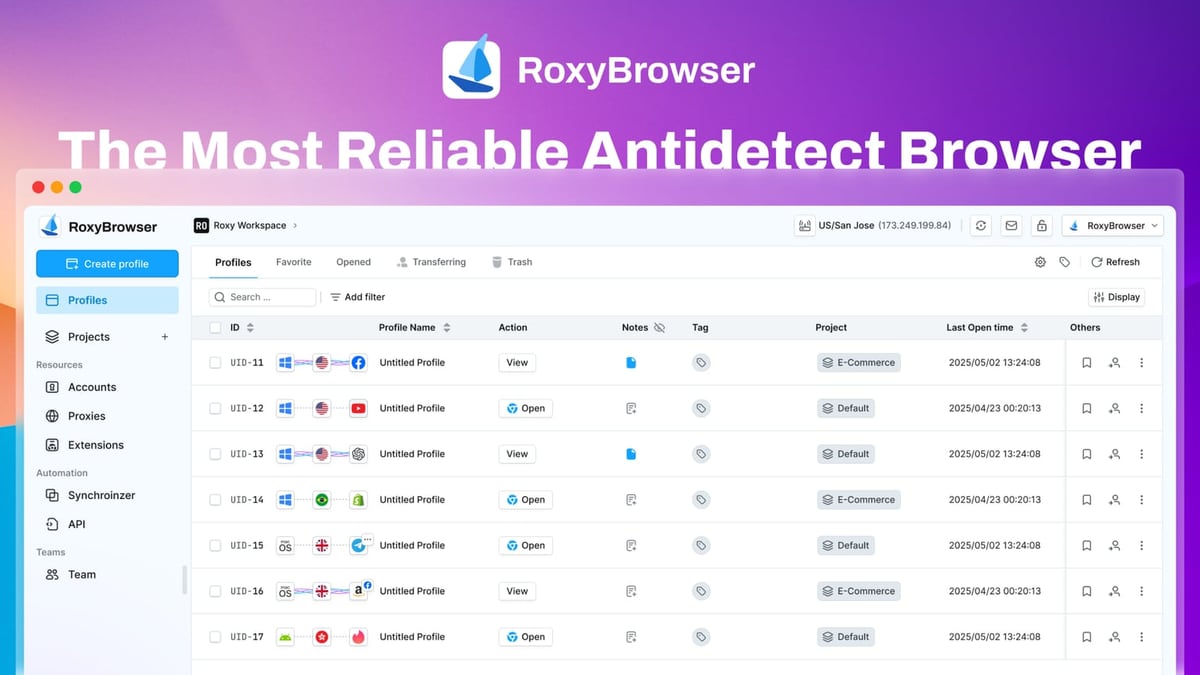
AdsPower vs RoxyBrowser vs Octo Browser: Which Wins in 2025? product interface and feature overview.
- AdsPower: A mature, feature-rich anti-detect browser with dedicated Firefox and Chrome kernels, mobile environment emulation, built-in RPA automation, and granular team management. Over 9 million users trust it for e-commerce, social media marketing, and affiliate campaigns.
- RoxyBrowser: A lightweight, proxy-native anti-detect browser that tightly integrates with the RoxyIP proxy ecosystem. It’s built for users who want seamless IP rotation, Workspaces collaboration, and automation support without the overhead of a heavier toolkit.
- Octo Browser: A performance-driven anti-detect browser recognized for passing advanced fingerprint checks (like Pixelscan and BrowserLeaks) with ease. It’s a favorite among affiliate marketers and web scrapers who need speed, simplicity, and tag-based profile organization.
Now, let’s dig into the criteria that matter most when choosing an anti-detect browser.
1. Browser Fingerprint Spoofing & Kernel Support

AdsPower vs RoxyBrowser vs Octo Browser: Which Wins in 2025? product interface and feature overview.
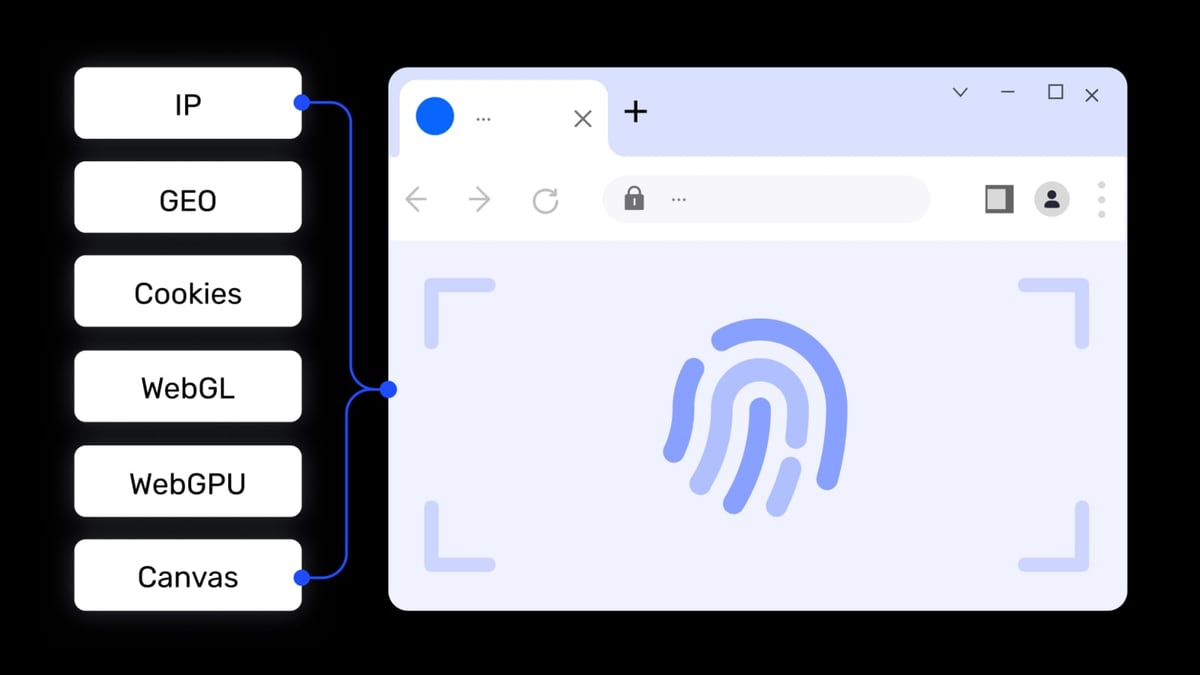
AdsPower sets itself apart by offering two browser kernels: SunBrowser (Chromium-based) and FlowerBrowser (Firefox-based). For platforms that behave differently on Firefox, or for users who simply prefer a non-Chromium engine, this dual-kernel approach is a distinct advantage. AdsPower also supports mobile environment emulation (Android and iOS), letting you test and operate accounts as if you were on a real smartphone—critical for mobile-first social platforms or app-based actions. With over 20 customizable fingerprint parameters (Canvas, WebGL, Audio, WebRTC, and more), you can fine-tune each profile or let the browser auto-generate a unique fingerprint.
Octo Browser is Chromium-based and has earned a strong reputation for passing even the strictest fingerprinting checks. Independent tests by Bright Data and other evaluators note that Octo effortlessly passes services like Pixelscan and BrowserLeaks without red flags, thanks to sophisticated spoofing algorithms and real-device fingerprint mimicking. It doesn’t offer a Firefox kernel or native mobile emulation, but its Chromium fingerprints are among the most reliable in the industry.
RoxyBrowser uses advanced fingerprint isolation technology to generate unique environments for each profile. While it doesn’t advertise a Firefox kernel or mobile simulation, it compensates with seamless integration into the RoxyIP proxy network, ensuring that the IP address always matches the browser fingerprint’s geolocation characteristics. This tight coupling reduces inconsistencies that detection systems could exploit.
Key takeaway: If you need Firefox compatibility, mobile device spoofing, or kernel-level flexibility, AdsPower is the clear winner. For users who trust Chromium and want top-tier fingerprint stealth without extra kernels, Octo Browser excels. RoxyBrowser bridges the gap with a consistent fingerprint–proxy alignment that simplifies anonymous browsing.
2. Bulk Profile Management & Organization
AdsPower vs RoxyBrowser vs Octo Browser: Which Wins in 2025? product interface and feature overview.
When managing dozens or hundreds of accounts, the ability to create, launch, and organize profiles en masse can save hours each week. AdsPower excels here: it allows you to bulk create profiles, assign proxies and cookies in one go, and group profiles into custom folders. You can even launch multiple profiles simultaneously with a single click. This level of batch operation is vital for large e-commerce stores or social media agencies. AdsPower also imports accounts via login credentials or cookies without manual profile-by-profile setup.
Octo Browser supports profile management at scale—you can create thousands of profiles—but its organization relies on a tag system rather than folder grouping. While tags work well for categorization, power users may miss the ability to perform bulk launch or group-based actions. That said, Octo’s Cookie Robot automates cookie import/export across profiles, which streamlines session management.
RoxyBrowser keeps things simple with Workspaces that are designed for team collaboration rather than ultra‑granular bulk operations. It doesn’t boast the same depth of batch editing as AdsPower, but for small to medium teams that value clarity over complexity, its approach may be sufficient.
Key takeaway: AdsPower’s combination of bulk creation, bulk launch, and folder grouping makes it the strongest option for high‑volume account management.
3. Automation & Workflow Efficiency
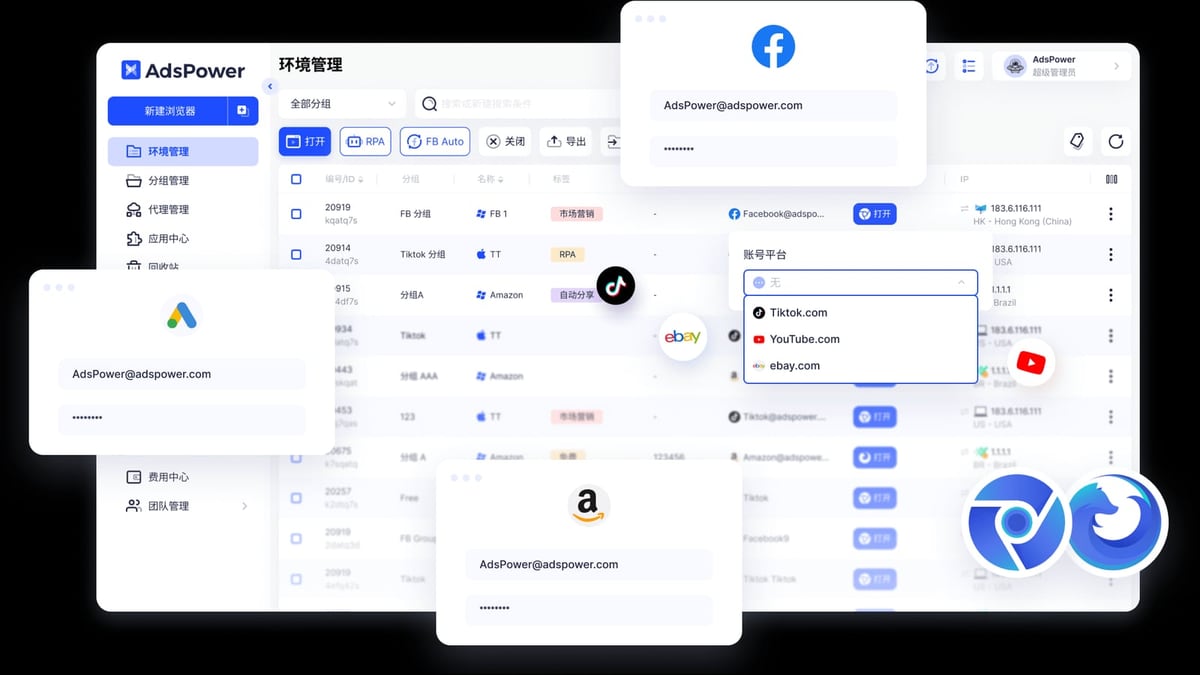
AdsPower vs RoxyBrowser vs Octo Browser: Which Wins in 2025? product interface and feature overview.
Automation is where AdsPower distances itself from most competitors. It includes a built-in RPA (Robotic Process Automation) robot with ready-made templates for Facebook, Twitter, Amazon, and more. You can also create custom workflows using a drag-and-drop designer—no coding required. Additionally, AdsPower’s Synchronizer replicates actions across multiple open profiles simultaneously (e.g., clicking the same button on 10 browser windows at once), a feature that’s a boon for account farmers or crypto task managers. On the developer side, the Local API hooks into Selenium, Puppeteer, Playwright, and even the MCP protocol for AI agent integration.
Octo Browser and RoxyBrowser both offer API-level automation. Octo supports Puppeteer, Playwright, and Selenium, and its Cookie Robot automates cookie-related workflows. RoxyBrowser also works with Selenium, Puppeteer, and Playwright, integrating neatly with RoxyIP’s proxy rotation for automated scraping or ad verification. However, neither browser includes a visual RPA tool or a native synchronizer, so users who rely heavily on no‑code automation will find AdsPower’s toolkit more complete.
Key takeaway: For teams that want to automate repetitive tasks without writing code, AdsPower’s RPA and Synchronizer are unmatched.
4. Team Collaboration & Access Control
Managing a distributed team requires more than just sharing profiles. AdsPower provides role-based permissions that let you control exactly which profiles and features each team member can access. Detailed operation logs record every action, including the IP address from which the action was performed, giving you an audit trail to catch unusual activity early. Profile sharing is built into all paid plans, and you can add member seats as needed.
Octo Browser offers team management only in its Team plan (€169/month), which includes 3 member seats, profile transfer, and a tag library for shared access. However, granular permission controls and operation logs are not mentioned, limiting its suitability for compliance-sensitive workflows.
RoxyBrowser uses Workspaces to enable collaboration. While it’s a clean and modern way to share environments, it lacks the fine-grained permission levels and logging that larger teams often require.
Key takeaway: If you need strong access control and audit trails, AdsPower’s team management capabilities are a step ahead.
5. Proxy Integration & Network Options
Where RoxyBrowser stands out is its deep integration with the RoxyIP proxy infrastructure. Instead of manually configuring third-party proxy details, you get a native proxy manager tied to RoxyIP’s residential and mobile IPs right inside the browser. This all-in-one approach simplifies account setup and reduces the risk of mismatched IP-fingerprint pairs. For users already invested in the RoxyIP ecosystem, it’s a frictionless experience.
AdsPower supports HTTP, HTTPS, SOCKS5, and SSH proxies from virtually any provider, with global network coverage. It also offers bulk proxy assignment, an automatic proxy-matching feature (Pro plan), and easy integration with leading proxy services like Bright Data. If you need guidance on connecting AdsPower with specific proxy networks, our PacketStream integration guide walks you through the process step by step.
Octo Browser includes a proxy manager that integrates with numerous proxy providers. You can assign proxies per profile, and the interface is straightforward. It doesn't have its own proxy network, but it does work smoothly with dedicated, residential, and mobile proxies.
Key takeaway: RoxyBrowser offers a uniquely streamlined proxy experience when paired with RoxyIP. AdsPower and Octo give you the freedom to bring your own proxy, with AdsPower providing more bulk management options for large-scale proxy assignments.
6. Pricing & Value for Money
| Browser | Free Tier / Trial | Entry Paid Plan (monthly, annual) | Team Plan Starting Price |
|---|---|---|---|
| AdsPower | Free: 2 profiles forever | Base: $9/mo for 10 profiles | Pro: $50/mo (team features, RPA) |
| RoxyBrowser | 7-day free trial, scalable free-to-enterprise plans | Plans start free; paid tiers scale with features and proxy usage | Team plans available on enterprise tier |
| Octo Browser | No permanent free tier; free trial sometimes available | Starter: €29/mo for 10 profiles | Team: €169/mo for 350 profiles + 3 members |
Why it matters: AdsPower’s free forever plan and its $9/month Base tier make it the most accessible option for individuals and small businesses. Even the Pro plan, which unlocks team management and RPA, is competitively priced. Octo Browser’s entry price is noticeably higher, but you pay for exceptional fingerprint stealth and performance. RoxyBrowser’s pricing is tied to its proxy ecosystem; expect competitive rates if you bundle the browser with RoxyIP, but exact figures depend on your proxy consumption.
7. User Experience & Onboarding
Ease of use is where both RoxyBrowser and Octo Browser appeal to users who want a simpler start. RoxyBrowser’s interface is minimal and tightly integrated with its proxy layer, so you spend less time configuring independent proxy settings. Octo Browser is often praised for its clean, beginner‑friendly dashboard and thorough documentation. It makes creating profiles and checking fingerprints straightforward even for newcomers.
AdsPower’s dashboard is functional and packed with tools, but that richness can feel overwhelming if you only need basic profile management. The learning curve is steeper, and you’ll likely need to consult help docs or video tutorials to fully exploit the RPA, Synchronizer, and team controls.
Key takeaway: For a lightweight, plug-and-play experience, RoxyBrowser and Octo Browser have an edge in intuitiveness.
8. Unique Standout Capabilities
- AdsPower: Mobile emulation (Android/iOS), Synchronizer for cross-window operations, drag-and-drop RPA, Firefox kernel.
- RoxyBrowser: Native RoxyIP proxy integration, all-in-one privacy stack, lightweight resource footprint.
- Octo Browser: Tag-based library, Cookie Robot, Scenum integration for social media automation, award-winning fingerprint consistency.
No single browser does everything. The right pick depends on which of these capabilities matters most to your daily operations.
Which One Should You Choose?
Choose AdsPower if:
- You need Firefox-based profiles or mobile device emulation.
- Bulk profile creation, grouping, and launch are part of your routine.
- You want built-in RPA or synchronizer for no‑code automation.
- Team management with permissions and logs is a must.
- Budget is a priority, and you want a free entry point.
Choose RoxyBrowser if:
- You already use or plan to use RoxyIP proxies and want seamless, native integration.
- Lightweight performance and simple setup matter more than advanced automation.
- You’re managing a small to medium team that values collaborative Workspaces.
Choose Octo Browser if:
- Maximum Chromium fingerprint stealth is your top priority, especially for affiliate marketing or web scraping.
- You prefer a clean, minimalist interface and don’t need mobile emulation or Firefox.
- Tag-based profile organization and cookie automation fit your workflow.
Still comparing anti-detect browsers? We’ve also put together a detailed AdsPower vs Octo vs Hidemyacc breakdown that examines how these three stack up. For teams managing social media accounts, pairing your chosen browser with a top social media management platform can further streamline your daily posting and engagement.
Related reading
- Kameleo Review 2026: Features, Pricing & Alternatives - Kameleo review: realistic look at features, pricing, and automation reliability for multi-accounting and web scraping in 2026.
- Top 10 Social Media Management Platforms 2026: Expert Tested & Compared - Discover the 10 best social media management tools for 2026. Compare Hootsuite, Buffer, Sprout Social, and more on AI, scheduling, pricing, and team features.
- How to Use AdsPower Fingerprint Browser with PacketStream - Integrate PacketStream residential proxies into AdsPower fingerprint browser for secure multi-account management and IP rotation. Step-by-step setup, examples, and troubleshooting.
Sources and further reading
- Why is AdsPower a better choice than Octo Browser? - In this article you can find reasons for choosing AdsPower over Octo Browser
- AdsPower vs Octo Browser 2026: Antidetect Browsers Comparison - Choose the best antidetect browser based on this comprehensive comparison of the AdsPower browser vs Octo Browser.
Frequently Asked Questions
Does RoxyBrowser support mobile device emulation? No, RoxyBrowser focuses on desktop browser environments and does not natively emulate Android or iOS. If mobile spoofing is critical, AdsPower offers full mobile environment simulation.
Can Octo Browser pass advanced fingerprint checks like Pixelscan? Yes. Octo Browser is specifically recognized for passing browser integrity checks from services like Pixelscan and BrowserLeaks, making it a strong choice for high‑anonymity multi‑accounting.
Which browser is the cheapest for 10 profiles? AdsPower’s Base plan costs $9/month for 10 profiles, while Octo Browser charges €29/month for the same number. RoxyBrowser’s entry pricing varies with proxy usage, but it usually offers a free tier or trial. For pure browser cost without proxy bundles, AdsPower is the most affordable.
Does any of these browsers offer a built‑in proxy pool? RoxyBrowser integrates natively with RoxyIP, giving you built‑in proxy management and rotation. AdsPower and Octo require you to bring your own proxies, though they both support seamless integration with third‑party providers.
Can I automate tasks without coding in AdsPower? Absolutely. AdsPower’s RPA robot provides pre‑built templates for common platforms and a visual workflow builder, allowing you to automate repetitive actions without writing a single line of code.
The Bottom Line
AdsPower, RoxyBrowser, and Octo Browser each serve distinct segments of the anti‑detect browser market. AdsPower is the multi‑tool powerhouse for teams that need Firefox, mobile emulation, bulk management, and no‑code automation. RoxyBrowser shines as a proxy‑native, lightweight companion for users who want an integrated IP‑fingerprint solution. Octo Browser impresses with elite Chromium fingerprint spoofing and a clean interface that won’t slow you down.
Evaluate your must‑have features, your team’s size, and your existing proxy stack. No matter which one you choose, combining an anti‑detect browser with a solid proxy strategy will help you stay under the radar and keep your accounts safe.