
AdsPower Fingerprint Browser + Puppeteer: Automation Setup and Practical Guide
Take a Quick Look
Learn how to integrate AdsPower fingerprint browser with Puppeteer for multi-account automation. Step-by-step setup, code examples, and real use cases.
🔥 Limited-Time Offer! Save extra 10% off on your first monthly plan with code: Anitdetect10
Sign upAdsPower Fingerprint Browser + Puppeteer: Automation Setup and Practical Guide
Managing multiple online accounts without triggering platform bans is a constant challenge for e-commerce sellers, social media marketers, and data scrapers. AdsPower Fingerprint Browser solves the fingerprint isolation problem, but what if you need to automate repetitive tasks like logging into accounts, scraping product data, or posting content? That's where Puppeteer comes in. This guide explains how to combine AdsPower's anti-detect capabilities with Puppeteer's automation power, giving you a secure, scalable workflow.
Why Combine AdsPower with Puppeteer?
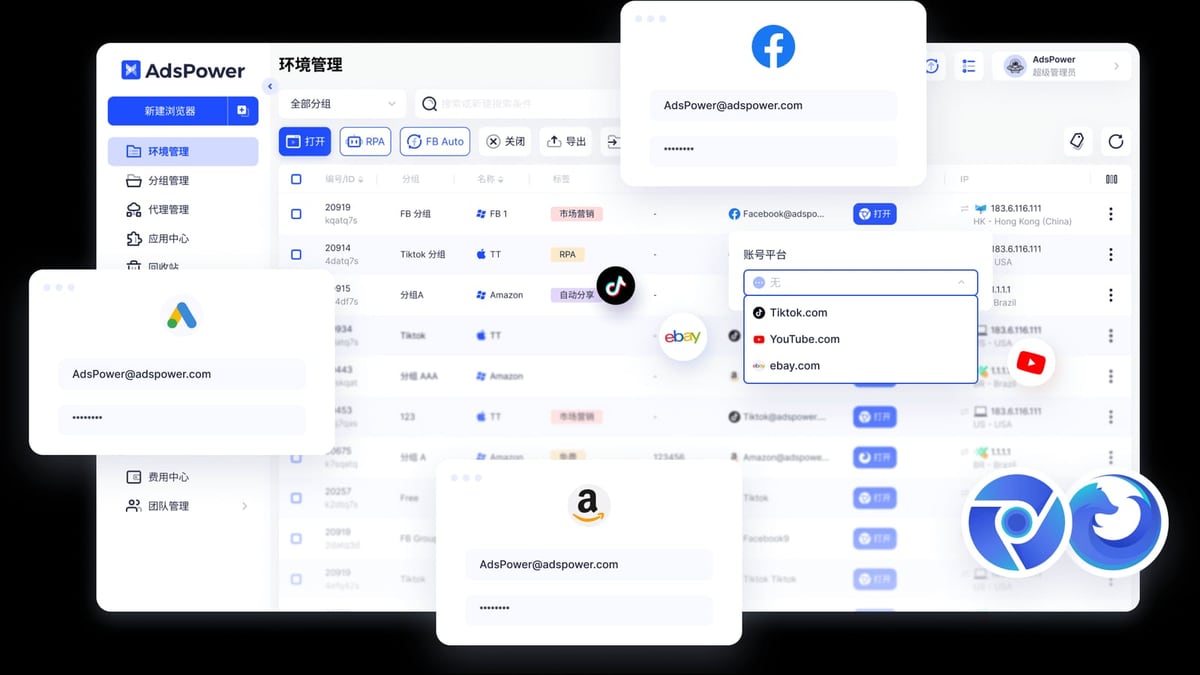
AdsPower Fingerprint Browser product interface and feature overview.
AdsPower creates isolated browser environments with unique digital fingerprints (Canvas, WebGL, Audio, WebRTC, etc.) so platforms like Amazon, Facebook, or TikTok can't link your accounts. However, manually opening each environment and performing tasks is time-consuming. Puppeteer, a JavaScript library that controls Chrome or Firefox programmatically, can automate those tasks—but it needs a browser instance to attach to. By connecting Puppeteer to an AdsPower environment, you get the best of both worlds: unique fingerprints for every session plus full automation.
Problems This Combination Solves
- Account bans from fingerprint detection: AdsPower prevents platforms from associating accounts via browser fingerprints.
- Manual repetitive work: Puppeteer automates logins, data extraction, and form submissions across multiple environments.
- Scaling limitations: Without automation, managing hundreds of accounts requires huge manual effort. With AdsPower + Puppeteer, you can scale programmatically.
- Inconsistent automation environments: Standard Puppeteer uses a single browser profile; AdsPower provides a fresh, unique environment each time.
How AdsPower and Puppeteer Work Together

AdsPower Fingerprint Browser product interface and feature overview.
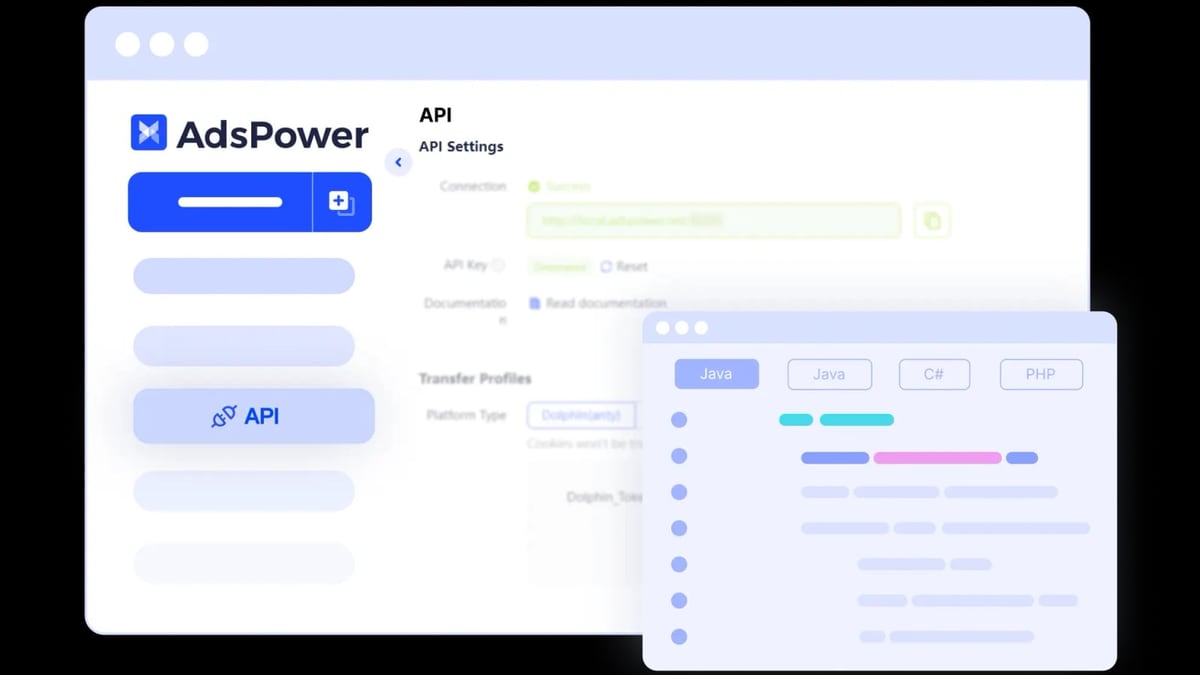
AdsPower exposes a local API that allows external tools like Puppeteer to control its browser environments. The typical workflow:
- Create an AdsPower browser environment with a unique fingerprint and proxy.
- Start the environment via AdsPower's API or manually.
- Connect Puppeteer to the running browser instance using the remote debugging port.
- Automate tasks (navigate, click, scrape, etc.) using Puppeteer's API.
- Close the environment when done.
This setup ensures each automated session uses a distinct fingerprint and IP, mimicking real users.
Step-by-Step Setup Guide
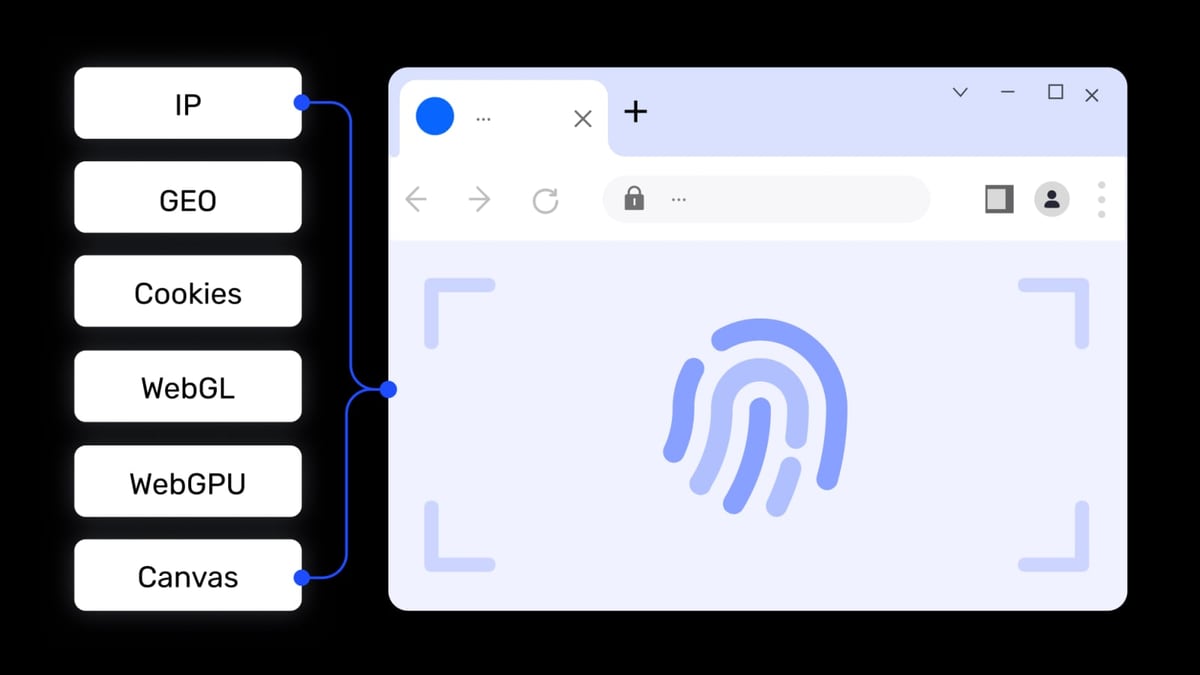
AdsPower Fingerprint Browser product interface and feature overview.
Prerequisites
- AdsPower Fingerprint Browser installed and logged in (free tier works for testing).
- Node.js and npm installed on your machine.
- Basic knowledge of JavaScript and command line.
Step 1: Create an AdsPower Browser Environment
- Open AdsPower and click New Browser.
- Configure a proxy (optional but recommended for IP diversity).
- Set a name and click Confirm.
- Note the Environment ID (a long string) from the environment list—you'll need it later.
Step 2: Enable Remote Debugging in AdsPower
- Go to Personal Settings > Local Settings.
- Toggle on Use UI Automation Tool.
- Set the Window Position to Maximized for consistency.
- In the environment's Startup Parameters, add:
(Use a different port for each environment if running multiple simultaneously.)--remote-debugging-port=9222
Step 3: Start the Environment and Connect Puppeteer
- Start the AdsPower environment from the client. A browser window will open.
- Install Puppeteer in your project:
npm install puppeteer - Write a script to connect to the running browser:
const puppeteer = require('puppeteer');

async function automateAdsPower() {
  // Connect to the remote debugging endpoint
  const browser = await puppeteer.connect({
    browserURL: 'http://127.0.0.1:9222',
  });

  // Get the first page (AdsPower opens a blank tab)
  const page = await browser.newPage();

  // Navigate to a target site
  await page.goto('https://example.com');

  // Perform actions (example: fill a form)
  await page.type('#username', 'my_account');
  await page.type('#password', 'secure_pass');
  await page.click('#login');

  // Wait for result
  await page.waitForSelector('.dashboard');

  // Scrape data or take screenshot
  const title = await page.title();
  console.log('Page title:', title);

  // Close connection (browser stays open in AdsPower)
  await browser.disconnect();
}

automateAdsPower();
Step 4: Automate Multiple Environments (Advanced)
For scaling, you can start environments programmatically via AdsPower's local API. Here's a basic example using fetch:
const axios = require('axios');

async function startEnvironment(envId) {
  const response = await axios.get('http://localhost:50325/api/v1/browser/start', {
    params: { user_id: envId },
  });
  const { data } = response;
  if (data.code === 0) {
    console.log('Environment started:', data.data.ws);
    return data.data.ws; // WebSocket endpoint for Puppeteer
  } else {
    throw new Error('Failed to start environment');
  }
}
Then connect Puppeteer using the WebSocket URL returned by the API.
Practical Examples
AdsPower Fingerprint Browser product interface and feature overview.
Example 1: Automated Login for Multiple Social Media Accounts
Imagine you manage 50 Twitter accounts. Without automation, logging into each manually is tedious. With AdsPower + Puppeteer:
- Create 50 AdsPower environments, each with a unique proxy and fingerprint.
- Write a script that loops through environment IDs, starts each one, connects Puppeteer, navigates to Twitter, logs in using stored credentials, and performs actions (e.g., follow users, post tweets).
- Each session appears as a separate user from a different device/location.
Example 2: E-Commerce Product Scraping Across Regions
You need to scrape Amazon prices from different countries. Create AdsPower environments with proxies from the US, UK, Germany, etc. Use Puppeteer to navigate to Amazon, search for a product, and extract price data. The fingerprint and IP match the target region, reducing the chance of being blocked.
Example 3: Ad Campaign Verification
Digital advertisers often need to verify how their ads appear in different regions. Set up environments with proxies from target countries, then use Puppeteer to visit ad URLs and take screenshots. AdsPower ensures each verification uses a unique browser profile, mimicking real users.
Best Practices for Production Workflows
- Use the AdsPower Local API instead of manual startup for scalability.
- Handle errors gracefully: If an environment fails to start, retry or log the error.
- Manage proxies carefully: Rotate proxies to avoid IP bans. AdsPower supports HTTP, HTTPS, SOCKS5, and SSH proxies.
- Keep fingerprints fresh: Periodically update environment settings to avoid pattern detection.
- Monitor resource usage: Running many browser instances consumes RAM; consider headless mode if UI is not needed.
Related reading
- AdsPower Fingerprint Browser vs Incogniton: Detailed Comparison Review 2026 - Comprehensive comparison of AdsPower and Incogniton: features, pricing, security, automation capabilities. Combined with real user feedback to help you choose the best anti-detection browser for multi-account management.
- BigCommerce Review 2026: Features, Pricing & Verdict - Evidence-based BigCommerce review covering ideal users, pricing, strengths, limitations, and decision criteria. Compare with Shopify and WooCommerce.
Sources and further reading
- How to Connect pyppeteer to AdsPower Browser Opened Pages? Original - How to connect pyppeteer to AdsPower browser opened pages? Original CSDN blog https://blog.csdn.net › details CSDN blog https://blog.csdn.net › details · Translate this page Dec 10, 2024 — 1. In the fingerprint configuration, add the following code to the startup parameters to enable browser remote debugging and adjust the port to a suitable port number. ... 2. Next, start the AdsPower browser, which will open a web page on the desktop ...Read more
- AdsPower Browser Plugin Installation Guide - Instructions on how to install the Octopus RPA plugin in AdsPower browser.
Frequently Asked Questions
Can I use Puppeteer with AdsPower's free plan?
Yes, the free plan includes 2 browser environments, which is enough for testing the integration. For production, you'll need a paid plan for more environments.
Does AdsPower support headless mode for automation?
AdsPower environments run in headed mode by default. However, you can minimize windows or run on a server without a display using virtual display tools like Xvfb on Linux.
What if I get a connection refused error?
Ensure the AdsPower environment is running and the remote debugging port is correctly set. Also check that no firewall is blocking the port.
Can I use Puppeteer with Firefox in AdsPower?
AdsPower supports both Chrome (SunBrowser) and Firefox (FlowerBrowser). Puppeteer can connect to Firefox via WebDriver BiDi. Use puppeteer-firefox or the latest Puppeteer version with Firefox support.
How do I stop an environment after automation?
Use the AdsPower API endpoint /api/v1/browser/stop with the environment ID, or close the browser window manually.
Conclusion
Combining AdsPower Fingerprint Browser with Puppeteer unlocks powerful multi-account automation while maintaining security and anonymity. Whether you're scraping data, managing social media accounts, or verifying ads, this integration saves time and reduces ban risks. Start with the free tier of AdsPower, experiment with the code examples above, and scale up as your needs grow.
For more comparisons of anti-detect browsers, check out our AdsPower vs Undetectable vs Multilogin comparison and AdsPower vs MoreLogin detailed review. If you're looking for a complete web data platform, explore our top 10 web data platforms.
Ready to automate your multi-account workflows? Set up your first AdsPower environment and connect Puppeteer today.
External resources: AdsPower Help Center, Puppeteer Documentation, AdsPower API Documentation.