
Scrapingdog Ecommerce Scraping: APIs, Proxies & Setup
Take a Quick Look
How Scrapingdog ecommerce scraping works: dedicated Amazon, Walmart and eBay APIs, pricing, proxy and anti-bot handling, plus safe multi-account workflows.
Scrapingdog Ecommerce Scraping: APIs, Proxies & Setup
Ecommerce data moves faster than any manual research process can follow. Prices change hourly, stock disappears, sponsored placements rotate, and review counts climb overnight. Scrapingdog ecommerce scraping is one way to keep up: it wraps rotating proxies, headless browser rendering, and anti-bot handling behind a single API call so your pipeline keeps returning product, price, and review data instead of failing halfway through a catalog.
This article explains what Scrapingdog actually offers for ecommerce, where a general scraping API stops and a dedicated ecommerce endpoint begins, how the credit model works, and how teams running many seller or storefront accounts should think about the browser and proxy layer that sits around the scraper.
What Scrapingdog Is Built For
Scrapingdog Ecommerce Scraping: APIs, Proxies & Setup - What Scrapingdog Is Built For.
Scrapingdog is a web scraping API. Instead of running your own proxy pool and headless Chrome fleet, you send a target URL and receive structured data back. The platform handles the parts that usually break in production:
- Rotating proxies. Requests are routed across a large pool of IPs, countries, and carriers so a single domain does not rate-limit you into failure.
- Real browser rendering. JavaScript-heavy pages are rendered in headless Chrome, which matters on storefronts that load prices or availability after the initial HTML.
- Anti-bot handling. Fingerprint rotation and human-like request patterns reduce blocks on protected sites.
- CAPTCHA solving. Challenges are handled in the background rather than returned to your code.
- Geotargeting. Requests can be routed through specific countries, which is essential when a retailer shows different prices or stock by region.
- Concurrency. You can scale from a handful of requests to millions without rewriting your integration.
That combination is the core pitch: you pay for successful requests and skip the infrastructure work.
General Scraping API vs Dedicated Ecommerce APIs

Scrapingdog Ecommerce Scraping: APIs, Proxies & Setup - General Scraping API vs Dedicated Ecommerce APIs.
This is the first decision most teams get wrong. Scrapingdog offers both a general-purpose scraping endpoint and a set of dedicated ecommerce APIs, and they solve different problems.
The general scraping API
Use it when you need arbitrary pages: a niche storefront, a regional marketplace, a category page with custom filters, or a site nobody has built a parser for. You supply the URL, and the API returns the rendered content or LLM-ready Markdown/JSON. You own the parsing logic.
The dedicated ecommerce APIs
Use these when the target is a major marketplace and you want structured fields without writing parsers. Scrapingdog publishes dedicated endpoints for several large platforms, including:
- Amazon — product pages (title, price, rating, availability), buying offers and sellers, reviews with ratings and verified badges, and Best Sellers / New Releases rankings by category.
- Walmart — product data including price, seller ID, seller name, stock status, and category.
- eBay — listings with title, price, condition, and seller.
- App Store — app listings, product pages, and customer reviews.
- Quick-commerce platforms — search and product detail endpoints that return prices, stock, variants, and sponsored listings by pincode or coordinates.
The trade-off is straightforward. Dedicated endpoints save engineering time and return clean JSON, but they cover the platforms Scrapingdog has built for. Anything outside that list falls back to the general API, where you maintain the extraction logic yourself.
If your catalog spans both major marketplaces and long-tail stores, a common pattern is to run dedicated endpoints for the big platforms and the general API for everything else, then normalize both outputs into one schema on your side.
How the Credit and Pricing Model Works

Scrapingdog Ecommerce Scraping: APIs, Proxies & Setup - How the Credit and Pricing Model Works.
Scrapingdog uses request credits rather than raw page counts, and the entry point is a free tier with 100 credits and no credit card requirement. Paid plans scale requests, concurrency, and support level together — concurrency is usually the constraint that bites first, because it determines how many requests run in parallel.
A few practical notes on planning:
- Estimate requests, not products. One product page is one request, but a full price-intelligence job may need the product page, the offers page, and the reviews page — three requests per SKU per check.
- Multiply by check frequency. Daily monitoring of 10,000 SKUs across three endpoints is roughly 30,000 requests per day, which is a very different plan than a weekly snapshot.
- Watch concurrency before volume. A large credit balance with low concurrency still means slow jobs. Match concurrency to your refresh window.
- Use geotargeting deliberately. Regional pricing checks multiply request volume, so scope them to the markets that actually matter to your pricing decisions.
Where Scraping Gets Blocked, and Why
Scrapingdog Ecommerce Scraping: APIs, Proxies & Setup - Where Scraping Gets Blocked, and Why.
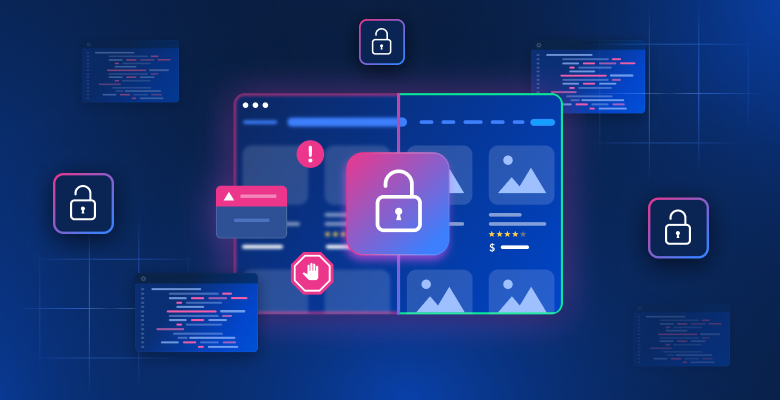
Ecommerce sites defend their data for good commercial reasons. The three failure modes that show up most often are:
- IP-level blocking. Datacenter ranges get flagged quickly, which is why residential and rotating proxies matter more than raw request speed.
- Layout and markup changes. A scraper tied to one CSS selector breaks the moment a storefront ships a redesign. Structured APIs absorb more of this, but not all of it.
- Regional variance. The same URL can return different prices, currencies, or availability depending on where the request originates, so a single-region scrape can produce misleading data.
A managed API addresses all three at the infrastructure layer. What it does not address is the account and browser layer on your side — which becomes relevant the moment your workflow involves logging in.
The Account Layer: When Scraping Meets Multi-Accounting
Public product pages can be scraped without any login. But a large share of useful ecommerce data sits behind an account: seller dashboards, ad keyword reports, wholesale pricing tiers, order and inventory panels, and regional storefronts that only show full pricing to signed-in users.
That is a different technical problem. Logging into many accounts from one machine, one browser, and one IP is exactly the pattern platforms flag as automation. Cookies collide, fingerprints repeat, and a single ban can cascade across every account sharing that environment.
This is where an anti-detect browser fits naturally into an ecommerce data workflow. AdsPower creates isolated browser profiles, each with its own fingerprint — Canvas, WebGL, network, and user agent parameters — paired with its own proxy. Instead of one browser juggling dozens of sessions, you get dozens of independent environments on one computer. For teams running multiple seller accounts, ad accounts, or regional storefront logins alongside their scraping pipeline, that separation is what keeps sessions stable.
Two details matter for scraping-adjacent work specifically:
- Proxy pairing per profile. Each profile should carry its own proxy so IP and fingerprint stay consistent. The setup steps are covered in this guide on using AdsPower with proxies.
- Automation. AdsPower supports batch profile management and automation, including an AI Agent with scheduled tasks, which is useful when a logged-in workflow needs to run on a recurring schedule rather than by hand.
For a broader look at how these tools compare on fingerprints, automation, and pricing, see this comparison of AdsPower, BitBrowser, and Dolphin Anty.
A Practical Ecommerce Scraping Workflow
A realistic pipeline for price and catalog intelligence looks like this:
- Define the fields you actually need. Title, price, currency, stock status, seller, rating, and review count cover most competitive analysis. Scraping fields you never query is wasted spend.
- Split targets by endpoint type. Route Amazon, Walmart, and eBay through dedicated APIs; send long-tail stores through the general scraping API.
- Set geotargeting per market. Only route through countries where you make pricing decisions.
- Schedule by volatility. Fast-moving categories need daily or intraday checks; stable catalogs can run weekly.
- Store raw responses before parsing. When a parser breaks, raw payloads let you re-process history instead of re-scraping it.
- Separate public scraping from logged-in workflows. Public data goes through the API; account-gated data goes through isolated browser profiles with dedicated proxies.
- Monitor success rate, not just volume. A dropping success rate is the earliest signal that a target changed its defenses.
Choosing Between DIY and a Managed API
| Factor | DIY (Python/Node + proxies + headless browser) | Scrapingdog API |
|---|---|---|
| Setup effort | High: proxy pool, browser fleet, retries | Low: one HTTP call |
| Maintenance | You fix breakage on every layout change | Platform absorbs most infrastructure churn |
| Cost shape | Fixed servers plus proxy contracts | Per-request credits |
| Scaling | Requires engineering capacity | Concurrency scales with plan |
| Control | Total control over rendering and parsing | Constrained to the API's behavior |
| Best for | Unique targets, strict data contracts | Standard marketplaces, fast time-to-data |
Most teams end up hybrid: managed APIs for the platforms that matter most, and a small in-house scraper for the one or two targets nobody else covers.
Common Mistakes to Avoid
- Scraping without geotargeting and trusting the price. You will report the wrong number for every region you did not route through.
- Ignoring concurrency limits. Volume planning without concurrency planning produces jobs that never finish inside the refresh window.
- Running logged-in workflows in a normal browser. Shared cookies and fingerprints across accounts is the fastest route to a ban wave.
- Reusing one proxy across many profiles. It links accounts that should be independent.
- Never validating output. Spot-check parsed fields against the live page; silent parser drift is worse than a hard failure.
Related reading
- Top 10 Antidetect Browser & Cloud Phone Software 2026 - Independent 2026 ranking of the top 10 antidetect browsers and cloud phone platforms for multi-account management, scored on fingerprints, mobile support, automation, and pricing.
- AdsPower vs Hidemyacc: Best Antidetect Browser 2026? - AdsPower vs Hidemyacc compared for multi-accounting: fingerprints, proxies, automation, team seats, pricing, and which antidetect browser fits your workflow.
Sources and further reading
- Everything You Need To Know About Scraping E-Commerce Data - Learn everything about scraping e-commerce data use cases, benefits, best tools, and how to extract product details, prices, reviews, and more at scale.
- Scalable Web Scraping API for Data Extraction | Scrapingdog - Scrapingdog is your all-in-one Web Scraping API, effortlessly managing proxies and headless browsers, allowing you to extract the data you need with ease.
- E-Commerce APIs by Scrapingdog | Amazon, Walmart, eBay - Scrape product, price and review data from Amazon, Walmart, eBay and Flipkart with Scrapingdog's e-commerce APIs. Clean JSON, no blocks or CAPTCHAs.
FAQ
Is Scrapingdog legal to use for ecommerce data?
Scraping publicly available data is generally permissible in many jurisdictions, but rules differ by country and by site terms. Review the target site's terms of service and applicable law, and avoid scraping personal data or content behind authentication without authorization.
Do I need proxies if I use Scrapingdog?
No. Proxy rotation, geotargeting, and anti-bot handling are part of the service. You only need your own proxies if you are running separate logged-in browser workflows outside the API.
What is the difference between the general API and the ecommerce APIs?
The general API returns rendered content for any URL and leaves parsing to you. The dedicated ecommerce APIs return structured fields — price, stock, seller, rating, reviews — for specific large marketplaces, so no parser is required.
How many credits does a typical price-monitoring job use?
Count requests, not products. A product page, an offers page, and a reviews page is three requests per SKU per check. Multiply by SKU count and check frequency to size the plan.
Can I scrape region-specific prices?
Yes, geotargeting routes requests through proxies in chosen countries, which is how you capture localized pricing and availability. Budget extra requests for each additional market.
Where does an anti-detect browser fit if the API handles blocking?
The API covers public pages. Anti-detect browsers cover account-gated work — seller dashboards, ad reports, wholesale portals — where each login needs its own isolated fingerprint and proxy.
Conclusion
Scrapingdog ecommerce scraping is strongest where the work is repetitive and the targets are mainstream: Amazon, Walmart, eBay, and other large platforms where structured endpoints remove the parser maintenance burden and rotating proxies remove the block-and-retry loop. The free tier with 100 credits is enough to validate output quality before committing to a plan, and the credit model is easy to size once you count requests per SKU per check rather than products.
The part the API cannot cover is anything behind a login. If your ecommerce operation includes multiple seller accounts, ad accounts, or regional storefront sessions, the browser layer needs the same discipline as the scraping layer: one isolated profile, one fingerprint, one proxy per account. That is the gap an anti-detect browser like AdsPower is built to close, and it is worth setting up before a ban wave forces the issue.


