
How to Use AdsPower with SMSPool for Multi-Account Verification
Take a Quick Look
Step-by-step guide to pairing AdsPower anti-detect profiles with SMSPool phone verification: setup, API automation, practical examples, and pitfalls.
🔥 Limited-Time Offer! Save extra 10% off on your first monthly plan with code: Anitdetect10
Sign upHow to Use AdsPower with SMSPool for Multi-Account Verification
Anti-detect browsers solve the fingerprint half of multi-account management. They do not solve the phone number half. When a platform asks for SMS confirmation during signup or login, every profile in your workspace suddenly needs a distinct, working number — and reusing your personal SIM across dozens of accounts is the fastest way to get them linked and banned.
This guide explains how AdsPower and SMSPool fit together, the exact setup sequence, how to automate verification through the API, and the mistakes that quietly break verification workflows.
Why AdsPower and SMSPool Are Complementary, Not Competing
SMSPool product interface.
AdsPower is an anti-detect browser. It builds isolated browser environments, each with its own fingerprint signals — Canvas, WebGL, User Agent, timezone, and more — and pairs them with a proxy so that accounts never share a technical identity. It is built for cross-border e-commerce sellers, social media marketers, affiliate teams, and agencies running many accounts from one device.
SMSPool is an SMS verification service. It supplies temporary, non-VoIP phone numbers that receive one-time codes for thousands of platforms, plus long-term rentals and data-only eSIMs. Numbers start at roughly $0.02 per SMS, and the service advertises a no-log policy with VPN and Tor friendliness.
Neither tool replaces the other:
- AdsPower controls the browser identity. Fingerprint, cookies, storage, proxy IP.
- SMSPool controls the phone identity. The number that receives the OTP.
A profile that has a clean fingerprint but a recycled personal number is still linkable. A fresh number attached to a browser with a leaked fingerprint is equally linkable. You need both layers aligned per profile.
How the Workflow Fits Together
At a high level, each AdsPower profile gets its own number from SMSPool, and the verification code is entered inside that profile's isolated session.
- Create or select an AdsPower profile.
- Assign a dedicated proxy to that profile.
- Request a number from SMSPool for the target platform and country.
- Open the target site inside the AdsPower profile and trigger the SMS step.
- Read the code from SMSPool and enter it in the profile.
- Record which number was used for which profile.
The critical rule: one number, one profile, one platform. Sharing a number across profiles recreates exactly the association you bought an anti-detect browser to avoid.
Step-by-Step Setup
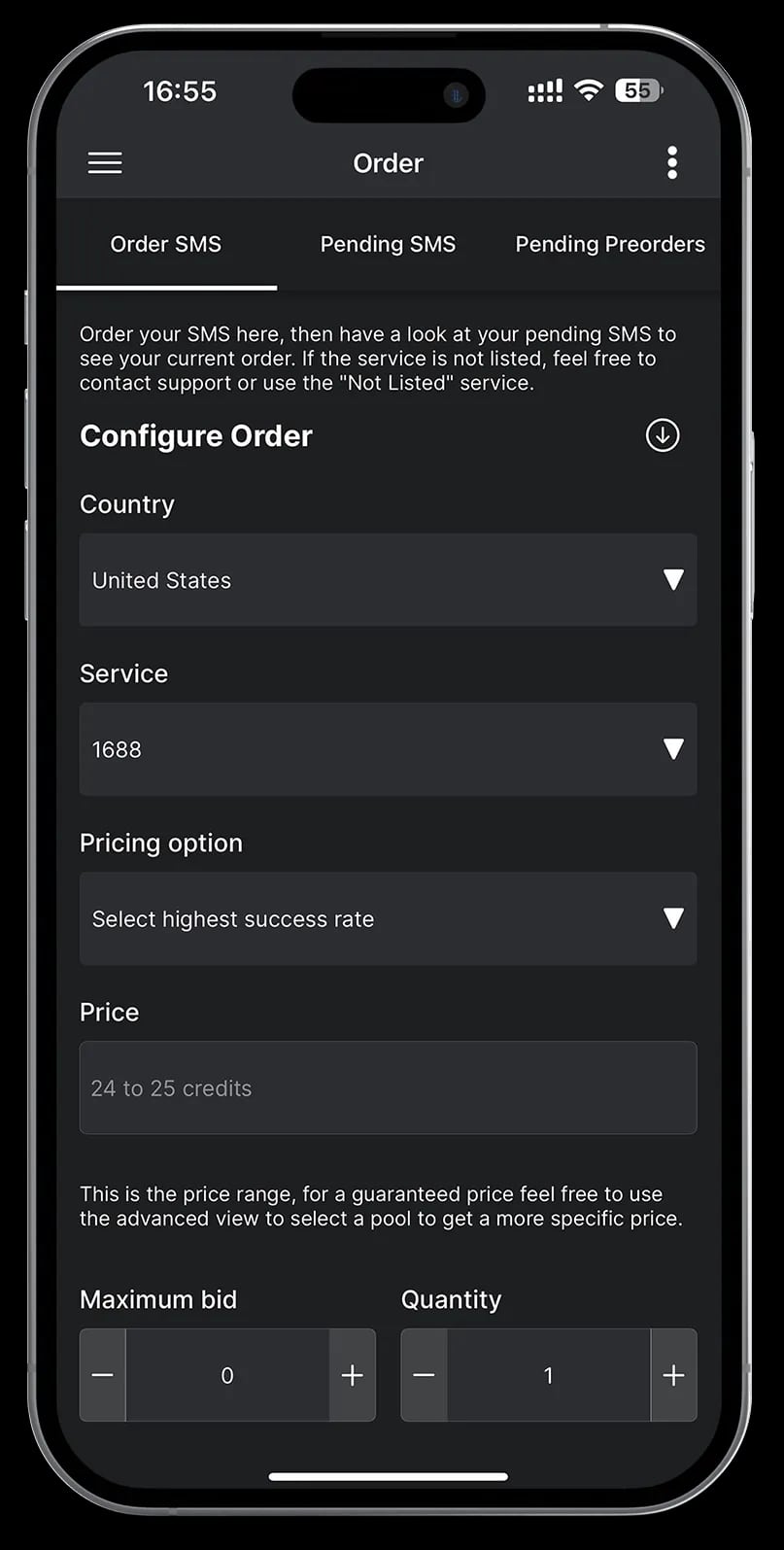
iOS SMSPool app.
Step 1: Prepare the AdsPower Profile
Create a new profile and configure it before you touch any signup form:
- Set the operating system and browser version to match the proxy's geography.
- Set timezone and language to match the proxy location, not your local machine.
- Add a proxy — residential or mobile is generally safer than datacenter for account registration.
- Run a fingerprint check inside the profile to confirm WebRTC and DNS are not leaking your real location.
If you are still deciding on a browser, the AdsPower vs Indigo vs Incogniton comparison breaks down fingerprint engines, automation, and pricing.
Step 2: Choose the Right SMSPool Number Type
SMSPool offers more than one product, and picking wrong wastes money:
| Number type | Best for | Notes |
|---|---|---|
| One-time SMS number | Single signup or login verification | Cheapest option; number is released after use |
| Long-term rental | Accounts that may re-verify later | Keeps the same number available for repeat codes |
| Data-only eSIM | Mobile app workflows needing data | Not for receiving OTPs on its own |
For platforms that re-verify on new devices or after inactivity, a rental is usually worth the premium. For one-off signups, a single-use number is enough.
Step 3: Match the Number's Country to the Profile
This is where most people lose accounts. If your AdsPower profile shows a US timezone and a US residential IP, but the verification number is from a different country, the mismatch is a signal.
Keep these three aligned per profile:
- Proxy country
- Browser timezone and locale
- SMS number country code
Step 4: Trigger and Complete Verification
Open the target platform inside the AdsPower profile, start the signup or login flow, and request the SMS code. Then retrieve the code from SMSPool and enter it in the same profile session. Do not switch profiles mid-verification, and do not paste the code into a different browser window.
Step 5: Log the Assignment
Keep a simple record — profile ID, platform, number, date. When a platform later asks for re-verification, you need to know which number belongs to which account. Teams running hundreds of profiles should store this in a shared sheet or their AdsPower team notes.
Automating Verification with the SMSPool API
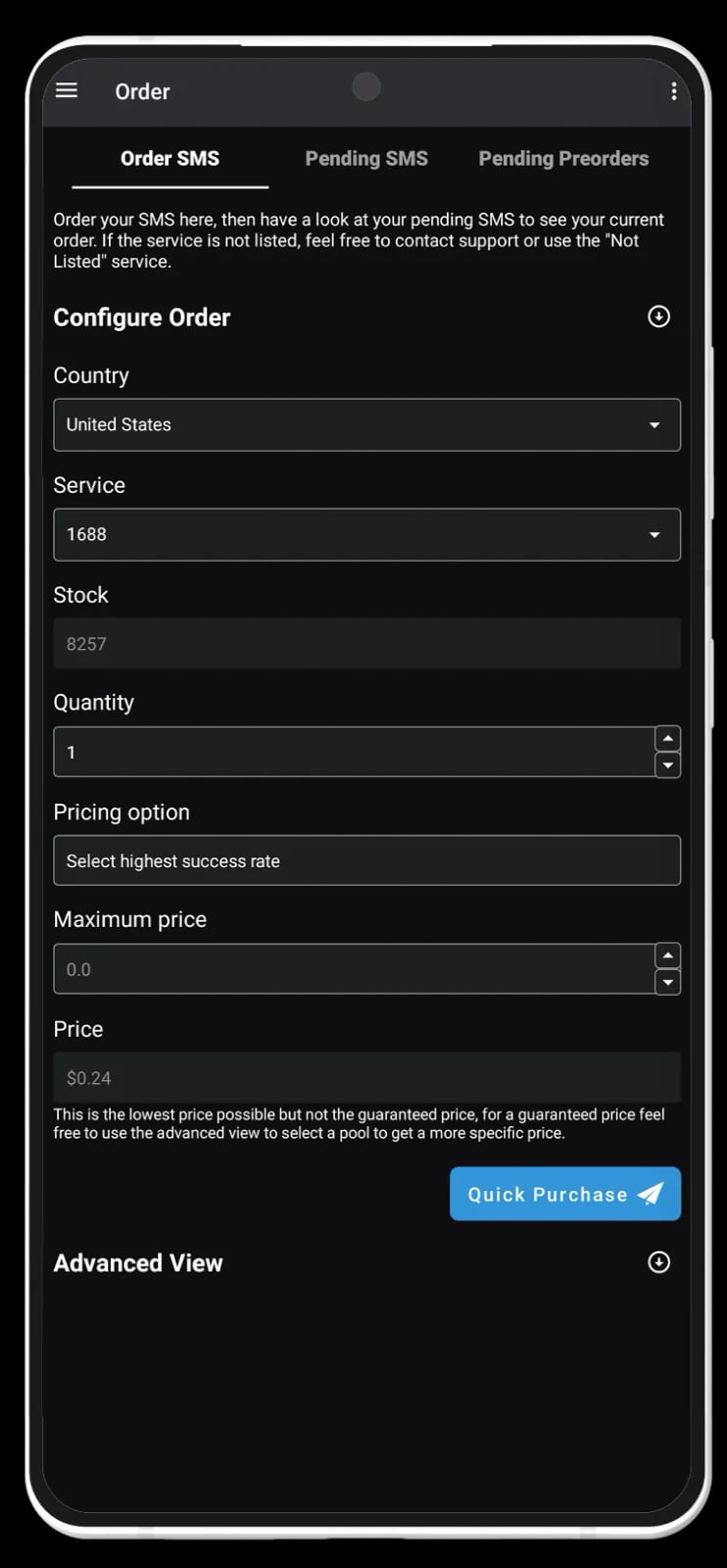
Android SMSPool app.
Manual copy-paste does not scale past a few dozen accounts. SMSPool provides an API for programmatic number purchase and code retrieval, and AdsPower offers automation through RPA and its Local API. Combining them lets you build a verification loop:
- Your script requests a number for a specific service and country from the SMSPool API.
- The script launches or attaches to the matching AdsPower profile via the Local API.
- The signup flow runs inside the profile; the script polls for the incoming code.
- The code is submitted, and the result is written to your tracking log.
This pattern is the same one used in other verification-heavy workflows, such as the AdsPower and 5SIM setup guide. The difference is which SMS provider you standardize on — SMSPool's fixed pricing and non-VoIP pool are the main reasons teams pick it.
If your automation also involves pulling data from the platforms you manage, the principles in automated data collection apply: rate-limit your requests, rotate identities, and avoid patterns that look scripted.
Practical Examples
Example 1: Verifying 20 Social Media Accounts
A marketer needs 20 Instagram accounts across three regions. Each profile gets a residential proxy in its target country, a matching timezone, and a single-use SMSPool number from the same country. Verification is done manually in batches of five, with the number-to-profile mapping logged immediately. Reusing any number across two profiles would risk linking them.
Example 2: E-commerce Seller Accounts
A seller manages Amazon storefronts in multiple marketplaces. Because Amazon may re-verify when a new device or location appears, the seller uses long-term SMSPool rentals tied to each store's profile rather than one-time numbers. The rental cost is trivial compared to losing a storefront to a verification failure.
Example 3: Affiliate and CPA Signups
Affiliate networks often verify by phone at registration. The workflow mirrors the AdsPower and MaxBounty setup guide: isolate the profile, align the proxy, verify with a dedicated number, then keep that profile's activity consistent over time.
Common Problems and How to Avoid Them
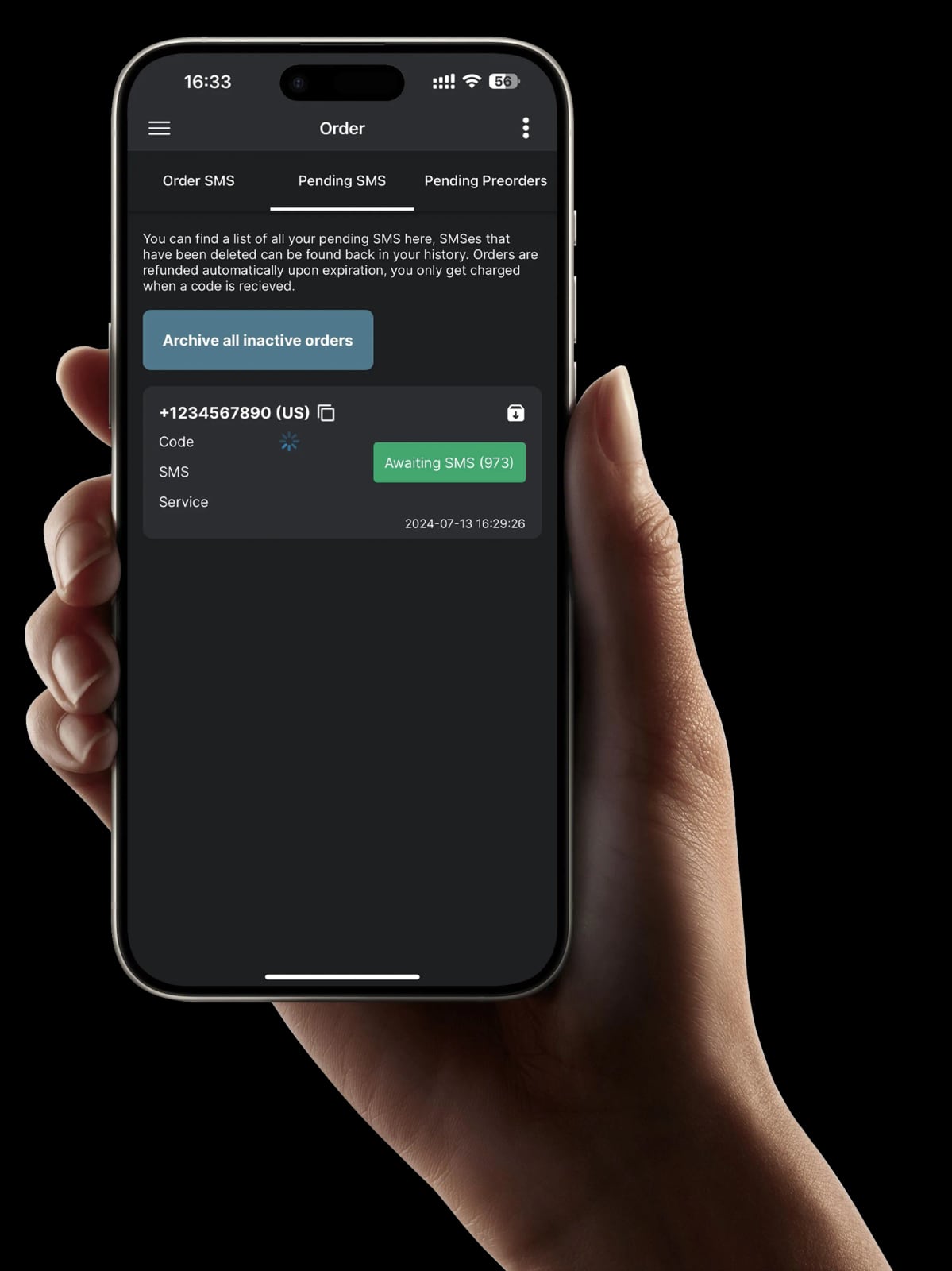
Cheap SMS Verifications, non-VoIP phone numbers - SMSPool.
The code never arrives. Some platforms reject numbers that have already been used or flagged. Request a fresh number rather than retrying the same one.
Verification succeeds but the account is banned later. Usually a fingerprint or proxy mismatch, not the number. Re-check WebRTC leaks, timezone alignment, and whether the proxy is shared with other profiles.
The platform blocks VoIP-style numbers. This is the core reason to use a non-VoIP provider. SMSPool specifically markets non-VoIP numbers that are accepted where VoIP is rejected.
You lose track of which number belongs to which account. Without a log, re-verification becomes guesswork. Track it from the first signup.
You verify too many accounts from one IP. Even with perfect fingerprints, a single IP creating ten accounts in an hour looks automated. Space out registrations and diversify proxies.
You ignore platform policies. Verification services and anti-detect browsers are tools; how you use them is your responsibility. Some platforms prohibit multi-accounting outright, and reused numbers may fail regardless of provider quality.
Related reading
- AdsPower vs Maskfog vs Dolphin Anty: 2026 Fingerprint Browser Comparison - An objective comparison of AdsPower, Maskfog fingerprint browser, and Dolphin Anty on fingerprint isolation, automation, team collaboration, and pricing to help you choose the right anti-detect browser for your business.
Sources and further reading
- Scale your account verification with SMS pools in Multilogin - Multilogin - Boost privacy and scale with SMS pools in Multilogin – easily verify accounts, avoid phone number reuse, and keep your data safe.
- Need a phone number rental service for ChatGPT : r/blackhat - Reddit - Feb 6, 2023 ... •. 4y ago. Unfortunately it doesn't work . OpenAi detects if you are using a virtual phone number. ResponsibleCount8600. •. 4y ago. smspool.
FAQ
Does AdsPower include phone numbers?
No. AdsPower handles browser fingerprint isolation and proxy management. Phone verification is a separate layer, which is why pairing it with an SMS service like SMSPool is common.
Can I use one SMSPool number for multiple AdsPower profiles?
Technically yes, but you should not. A shared number creates a direct link between accounts, defeating the purpose of separate fingerprints.
Is SMSPool cheaper than other SMS services?
SMSPool advertises pricing from about $0.02 per SMS with no price fluctuations, plus free testing tools. Compare against your current provider on the specific platforms and countries you actually use.
Do I need the API, or can I do this manually?
Manual works for a handful of accounts. Once you are verifying dozens per week, the SMSPool API plus AdsPower's Local API removes the copy-paste bottleneck and reduces human error.
Why did a non-VoIP number still get rejected?
Number reputation matters. A number that has already been used on that platform, or one from a heavily abused range, may be refused. Request a different number and try again.
Conclusion
AdsPower and SMSPool solve two different halves of the same problem. AdsPower makes each account look like it belongs to a separate person with a separate device; SMSPool makes each account reachable through a separate phone number. Used together with consistent country matching, dedicated numbers per profile, and a written assignment log, they turn a fragile manual process into a repeatable verification workflow.
Start with a small batch, confirm your fingerprint and proxy alignment is clean, and only then scale up or automate through the API.