
How to Use AdsPower with Scrapingdog: Full Setup Guide
Take a Quick Look
Learn how to combine AdsPower anti-detect browser profiles with Scrapingdog's scraping API for stable, high-volume data extraction without blocks.
🔥 Limited-Time Offer! Save extra 10% off on your first monthly plan with code: Anitdetect10
Sign upHow to Use AdsPower with Scrapingdog: Full Setup Guide
Web scraping at scale rarely succeeds with a single tool. You need a browser that behaves like a real user and an API that handles infrastructure, proxies, and rendering. AdsPower and Scrapingdog solve different halves of that problem, and when you combine them, you get a workflow that stays under the radar while pulling structured data reliably.
This guide explains why the two tools complement each other, how to set them up together, and what practical workflows look like for SEO monitoring, e-commerce tracking, and social media data collection.
Why Combine AdsPower and Scrapingdog?
Scrapingdog product interface.
AdsPower is an anti-detect browser. It creates isolated browser profiles with unique digital fingerprints, including Canvas, WebGL, user agent, and other parameters. Each profile acts like a separate physical device, which prevents platforms from linking your sessions together and flagging them as automated.
Scrapingdog is a scraping API platform. You send a request, and it handles premium residential proxies, JavaScript rendering, CAPTCHA bypass, geotargeting, and session management behind the scenes. It also offers dedicated endpoints for Google SERP, Google Maps, TikTok, X/Twitter, YouTube, LinkedIn, Amazon, Walmart, and more.
Here is what each tool contributes to a combined workflow:
| Capability | AdsPower | Scrapingdog |
|---|---|---|
| Fingerprint isolation | Yes, per-profile | Not applicable |
| Proxy management | Yes, supports external proxies | Built-in residential proxies |
| JavaScript rendering | Full browser engine | Yes, via API parameter |
| CAPTCHA handling | Manual or via solver integration | Automatic bypass |
| Structured data extraction | Manual or via RPA | JSON output via API |
| Session persistence | Cookies and local storage per profile | Session management API |
AdsPower solves the identity problem. Scrapingdog solves the infrastructure problem. Together, they cover both sides of the anti-bot equation.
When This Combination Makes Sense
Not every scraping project needs both tools. Here is how to decide.
Use AdsPower alone when:
- You need to log in to accounts and keep sessions alive for days or weeks.
- You are managing multiple accounts on platforms like Facebook, Amazon, or TikTok.
- You need to manually verify data or interact with pages before extracting.
- You are running automation through AdsPower's RPA or Local API with Selenium or Puppeteer.
Use Scrapingdog alone when:
- You need structured JSON from public pages quickly.
- You are building a pipeline that runs on a schedule without manual intervention.
- You do not want to manage proxies, retries, or headless browsers.
- You need dedicated endpoints like Google SERP or Google Maps.
Use both together when:
- You need to scrape data that requires logged-in sessions or account-level access.
- You want to validate or enrich Scrapingdog results with manual browser checks.
- You are scraping platforms with aggressive anti-bot systems and need both fingerprint isolation and managed infrastructure.
- You are running multi-account research workflows where each profile needs its own identity and IP.
Prerequisites
Before you start, make sure you have:
- An AdsPower account with at least one browser profile created. AdsPower offers a free trial, and the desktop client runs on Windows, Mac, and Linux.
- A Scrapingdog account with an API key. The free tier includes 200 credits per month, which is enough for testing.
- A proxy provider if you plan to route AdsPower profiles through residential or mobile IPs. AdsPower supports HTTP, HTTPS, and SOCKS5 proxies.
- Basic familiarity with HTTP requests if you plan to call the Scrapingdog API from a script.
Step 1: Create an AdsPower Browser Profile
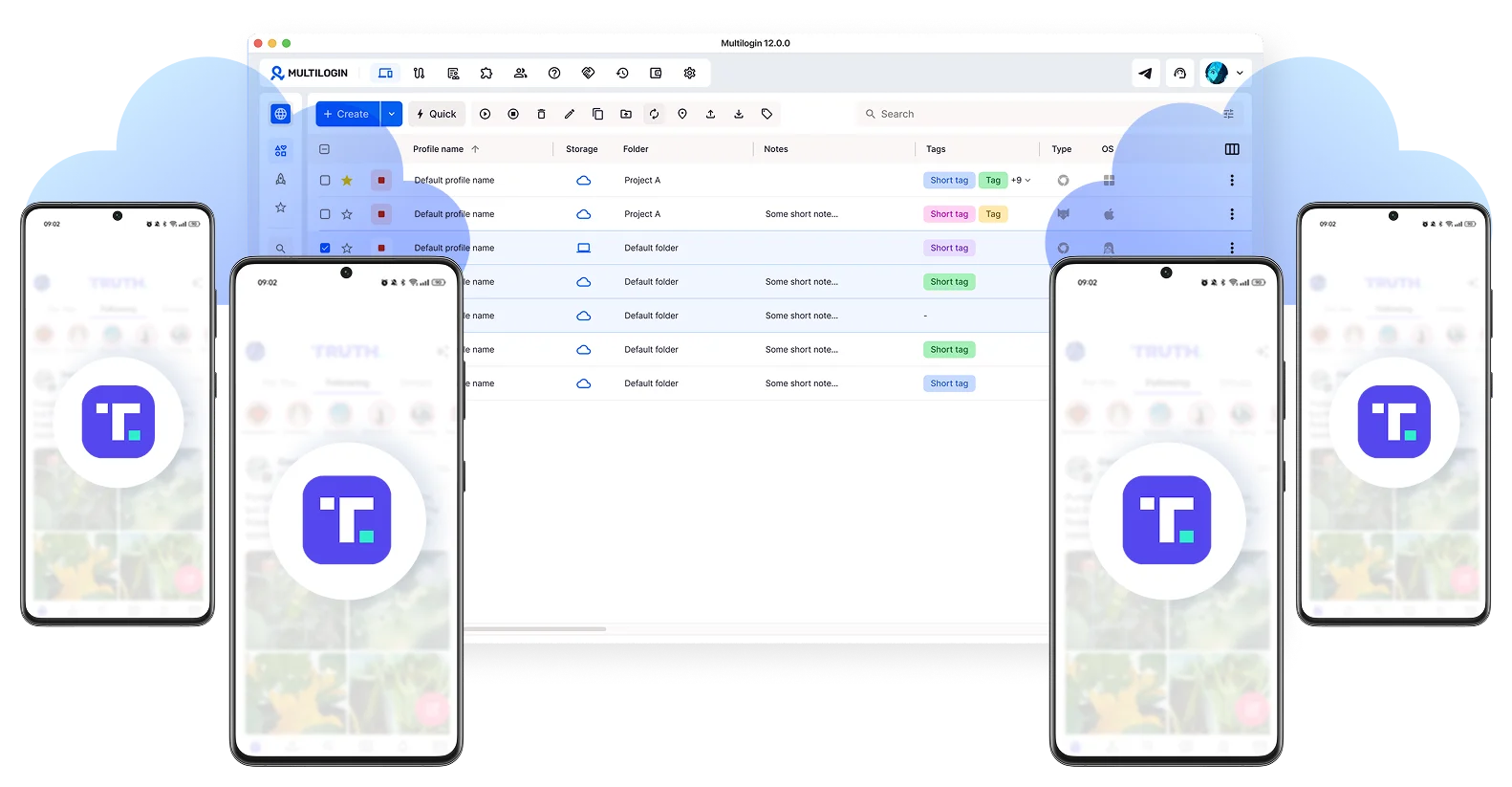
How to Use AdsPower with Scrapingdog: Full Setup Guide - Step 1: Create an AdsPower Browser Profile.
Start by setting up a browser profile that will act as your scraping identity.
- Open the AdsPower desktop client and click New Profile.
- Choose a profile name that reflects its purpose, such as
scraping-research-01. - Select the operating system and browser version. AdsPower regularly updates to the latest Chrome engine, so keep this current for authentic browser behavior.
- Under Proxy Settings, configure your proxy. If you are using a residential proxy provider, enter the host, port, username, and password. AdsPower will mask your IP address for every profile.
- Under Fingerprint Settings, leave the defaults unless you need to customize specific parameters. AdsPower generates a unique fingerprint automatically.
- Click OK to save the profile.
Repeat this process for each identity you need. For multi-account scraping workflows, create one profile per target account or per geographic region.
Step 2: Configure Proxy Settings in AdsPower
Proxy configuration is critical because IP reputation matters as much as browser fingerprints. Here is how to set it up correctly:
- Open the profile settings and navigate to Proxy.
- Select your proxy type: HTTP, HTTPS, or SOCKS5.
- Enter the proxy host and port provided by your proxy vendor.
- Add the username and password if your proxy requires authentication.
- Click Check Proxy to verify the connection. AdsPower will show you the detected IP and location.
- Save the profile.
For a deeper walkthrough of proxy setup inside AdsPower, see our guide on how to use AdsPower with PROXYS.IO.
Step 3: Get Your Scrapingdog API Key
- Log in to your Scrapingdog dashboard.
- Navigate to the API Key section.
- Copy your API key. You will include it in every request.
- Review the Scrapingdog documentation for the endpoint you plan to use. Each API, such as Google SERP or Amazon, has its own parameters.
A basic Scrapingdog request looks like this:
curl "https://api.scrapingdog.com/scrape?api_key=YOUR_API_KEY&url=https://example.com&render=true"
The render=true parameter enables JavaScript rendering, which is useful for dynamic pages that load content after the initial HTML response.
Step 4: Combine AdsPower Sessions with Scrapingdog Requests
The key integration pattern is to use AdsPower for session establishment and Scrapingdog for bulk extraction.
Pattern A: Session Warm-Up in AdsPower, Extraction via Scrapingdog
- Open your AdsPower profile and log in to the target platform manually.
- Browse naturally for a few minutes to establish a realistic session history.
- Note the cookies and session data that the platform sets.
- Use Scrapingdog's session management feature to maintain a persistent session across requests. You can pass a
session_idparameter to reuse the same session. - Send scraping requests through Scrapingdog with the same geolocation and headers that match your AdsPower profile.
This pattern works well for platforms that require login but expose public data once authenticated.
Pattern B: AdsPower for Verification, Scrapingdog for Scale
- Run a Scrapingdog request to extract a batch of data.
- Open the same page in an AdsPower profile to visually verify the data or investigate anomalies.
- If the page shows a CAPTCHA or block in AdsPower, adjust your Scrapingdog request parameters, such as adding residential proxies or changing geotargeting.
- Re-run the Scrapingdog request with updated parameters.
This pattern is useful for debugging failed scrapes and understanding why a target site is blocking requests.
Pattern C: AdsPower Automation with Scrapingdog API Calls
If you use AdsPower's Local API with Selenium or Puppeteer, you can trigger Scrapingdog requests from within your automation script.
import requests
from selenium import webdriver
from selenium.webdriver.chrome.options import Options

# Connect to an AdsPower profile via Local API
ads_power_api = "http://local.adspower.net:50325"
profile_id = "your_profile_id"

# Launch the AdsPower profile
response = requests.get(f"{ads_power_api}/api/v1/browser/start?serial_number={profile_id}")
browser_info = response.json()

# Connect Selenium to the AdsPower browser
chrome_options = Options()
chrome_options.add_experimental_option("debuggerAddress", browser_info["data"]["ws"]["selenium"])
driver = webdriver.Chrome(options=chrome_options)

# Use Scrapingdog for bulk extraction
scrapingdog_key = "YOUR_SCRAPINGDOG_API_KEY"
target_url = "https://example.com/data"
api_response = requests.get(
    "https://api.scrapingdog.com/scrape",
    params={
        "api_key": scrapingdog_key,
        "url": target_url,
        "render": "true"
    }
)
print(api_response.json())
This pattern lets you combine AdsPower's browser automation with Scrapingdog's managed infrastructure in a single script.
Practical Use Cases
SEO Position Tracking
Scrapingdog offers a dedicated Google SERP API that returns structured results for keywords, including AI Overviews, Images, Shopping, Maps, and News. Use it to track rankings at scale.
- Build a list of keywords and target locations.
- Send requests to the Scrapingdog Google SERP endpoint with geotargeting parameters.
- Store the JSON results in your database.
- Use AdsPower profiles to manually verify suspicious ranking changes or investigate local SERP variations.
This workflow gives you automated tracking with a manual verification layer.
E-Commerce Price Monitoring
For Amazon, Walmart, or eBay price tracking, combine both tools for accuracy.
- Use Scrapingdog's e-commerce endpoints to pull product prices, availability, and ratings in bulk.
- When prices change unexpectedly, open the product page in an AdsPower profile to verify the listing manually.
- If a seller is running region-specific pricing, create multiple AdsPower profiles with different geolocations and proxies to compare prices.
For broader context on managing multi-market operations, see our cross-border e-commerce guide.
Social Media Data Collection
Scrapingdog provides endpoints for TikTok, X/Twitter, YouTube, and LinkedIn. AdsPower helps you maintain the accounts you use for authenticated scraping.
- Create AdsPower profiles for each social media account you manage.
- Log in and keep sessions warm with regular activity.
- Use Scrapingdog's social media endpoints to extract public data at scale.
- When you need account-level data, use AdsPower's browser automation to navigate and extract manually.
Common Problems This Combination Solves
IP Blocking
Scrapingdog rotates residential proxies automatically, so your requests come from diverse IPs. AdsPower adds another layer by letting you assign dedicated proxies to specific profiles. Together, they reduce the chance of IP-based bans.
Fingerprint Detection
Modern anti-bot systems analyze browser fingerprints, not just IPs. AdsPower's isolated profiles prevent fingerprint linking across sessions. Scrapingdog's managed browser rendering handles the technical fingerprinting on the API side.
CAPTCHA Challenges
Scrapingdog includes CAPTCHA bypass in its API. AdsPower supports CAPTCHA solver integrations for manual browser sessions. When one layer fails, the other provides a fallback.
Session Instability
AdsPower persists cookies and local storage per profile, so sessions stay alive. Scrapingdog's session management API lets you reuse sessions across requests. Combined, they maintain stable identities over long scraping runs.
Best Practices
- Match geolocation across tools. If your AdsPower profile uses a US proxy, set Scrapingdog's geotargeting to the US as well. Inconsistent locations trigger detection.
- Keep browser versions current. AdsPower updates to the latest Chrome engine. An outdated fingerprint is easier to detect.
- Start slow and scale gradually. Ramp up request volume over days, not hours. Sudden spikes attract attention.
- Monitor failure rates. Scrapingdog does not charge for failed requests, so track failures as a signal that your target site is tightening defenses.
- Respect robots.txt and legal boundaries. Scraping publicly available data is generally lower risk, but bypassing authentication walls or violating terms of service can create legal exposure. Review the web scraping legal and ethics guide for a detailed breakdown.
AdsPower vs Scrapingdog: Which Should You Start With?
If you are new to scraping and need structured data quickly, start with Scrapingdog. The API handles proxies, rendering, and CAPTCHAs, so you can get results with a single request.
If you are managing multiple accounts or need persistent browser sessions, start with AdsPower. It gives you the identity layer that APIs cannot provide.
If you are scaling a serious scraping operation, use both. The combination covers identity, infrastructure, rendering, and extraction in one workflow.
For a broader comparison of anti-detect browsers, see our guide on AdsPower vs VMLogin vs Maskfog.
Related reading
- AdsPower vs RoxyBrowser vs Maskfog Antidetect Browsers: How to Choose in 2026? - Compare AdsPower, RoxyBrowser, and Maskfog antidetect browsers across fingerprint isolation, proxy integration, automation, team collaboration, and pricing to find the best anti-detection browser for multi-account operations.
Sources and further reading
- Best Web Scraping Tools for 2026: A Guide to High-Volume Data Extraction - Discover the best web scraping tools for 2026, including APIs, browsers, and AI tools, plus tips to scale data extraction without getting blocked.
- Twitter (X) Scraping in 2026: The Ultimate Guide - Unlock the power of Twitter data with our comprehensive guide. Explore what is Twitter Scraping, the tools available, and ethical considerations for valuable insights.
FAQ
Can I use Scrapingdog inside an AdsPower browser profile?
Yes. You can call the Scrapingdog API from any environment, including a script running inside an AdsPower profile via the Local API. The two tools work independently but can share session data and geolocation settings.
Do I need proxies if I use both AdsPower and Scrapingdog?
Scrapingdog includes residential proxies by default, so you do not need separate proxies for API requests. For AdsPower profiles, you should configure your own proxies to mask IP addresses and maintain consistent geolocation.
Is this combination suitable for Google SERP scraping?
Yes. Scrapingdog has a dedicated Google SERP API that handles the complexity of scraping Google results. AdsPower can serve as a manual verification layer when you need to check rankings visually.
How much does it cost to run both tools?
AdsPower offers a free trial and tiered pricing based on the number of profiles. Scrapingdog starts with a free tier of 200 credits per month and scales across 27 plans. For small projects, you can test both tools at minimal cost.
Will this setup bypass all anti-bot systems?
No setup guarantees 100% success. Anti-bot systems evolve constantly. The AdsPower and Scrapingdog combination reduces detection risk significantly, but you should monitor failure rates and adjust your approach as needed.
Conclusion
AdsPower and Scrapingdog solve different problems in the scraping stack. AdsPower gives you isolated browser identities that behave like real users. Scrapingdog gives you managed infrastructure for bulk extraction. Together, they create a workflow that handles fingerprinting, IP rotation, JavaScript rendering, CAPTCHAs, and session persistence without requiring you to build everything from scratch.
Start with a single AdsPower profile and a Scrapingdog free-tier API key. Test a small scraping job, verify the results manually, and scale up once you understand how the two tools interact. The combination is especially powerful for SEO tracking, e-commerce monitoring, and social media data collection where both identity and scale matter.