
AdsPower vs Indigo: Which Anti-Detect Browser Wins in 2026?
Take a Quick Look
Compare AdsPower vs Indigo anti-detect browsers for multi-account management. See features, pricing, automation, and which tool fits your workflow.
🔥 Limited-Time Offer! Save extra 10% off on your first monthly plan with code: Anitdetect10
Sign upAdsPower vs Indigo: Which Anti-Detect Browser Wins in 2026?
Managing multiple online accounts without triggering platform bans is a constant challenge for e-commerce sellers, affiliate marketers, and social media managers. Anti-detect browsers like AdsPower and Indigo promise to solve this by creating isolated browser environments with unique digital fingerprints. But which one actually delivers better value, reliability, and automation capability?
In this comparison, we’ll examine both tools head-to-head across pricing, fingerprint customization, automation, team collaboration, and security. By the end, you’ll know exactly which anti-detect browser fits your workflow — and why many users are switching to AdsPower.
Why Anti-Detect Browsers Matter for Multi-Account Operations
AdsPower vs Indigo: Which Anti-Detect Browser Wins in 2026? product interface and feature overview.
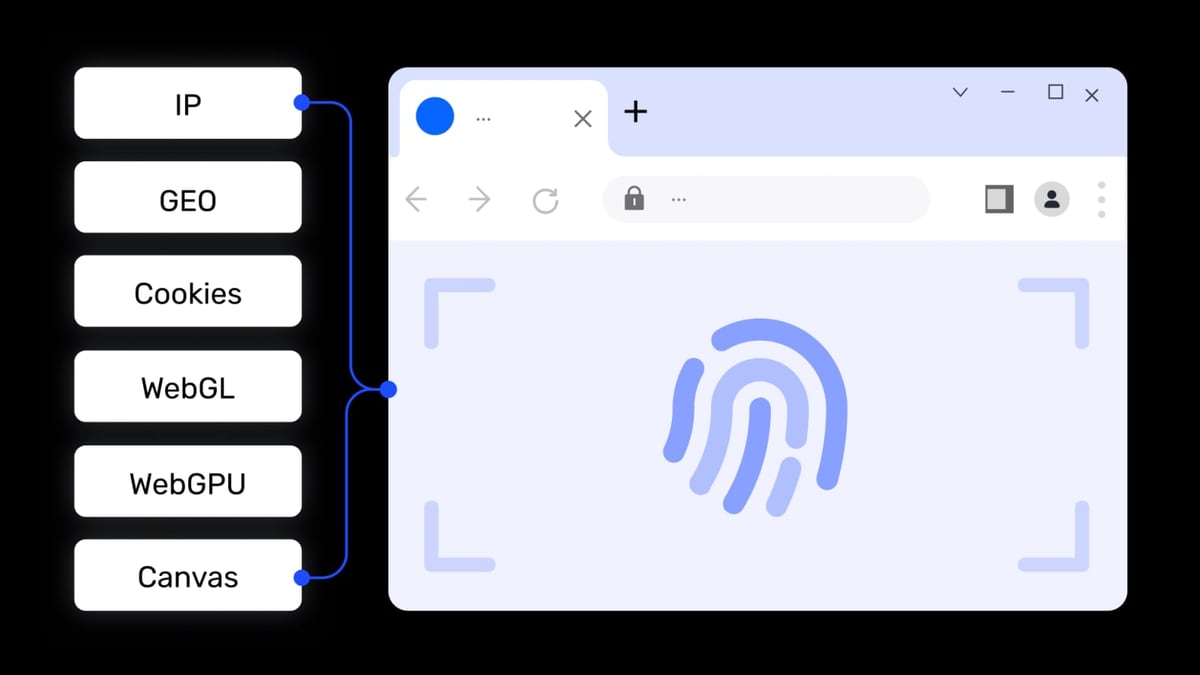
Platforms like Amazon, Facebook, TikTok, and Google Ads actively track browser fingerprints — including Canvas, WebGL, AudioContext, screen resolution, fonts, and plugins — to detect when multiple accounts are operated from the same device. Even if you use different IP addresses, identical fingerprints can trigger account bans.
Anti-detect browsers solve this by:
- Generating unique fingerprints for each browser environment
- Isolating cookies, cache, and local storage
- Allowing proxy binding per profile
- Enabling automation for bulk account management
Both AdsPower and Indigo offer these core capabilities, but their approach and execution differ significantly.
AdsPower Overview
AdsPower vs Indigo: Which Anti-Detect Browser Wins in 2026? product interface and feature overview.
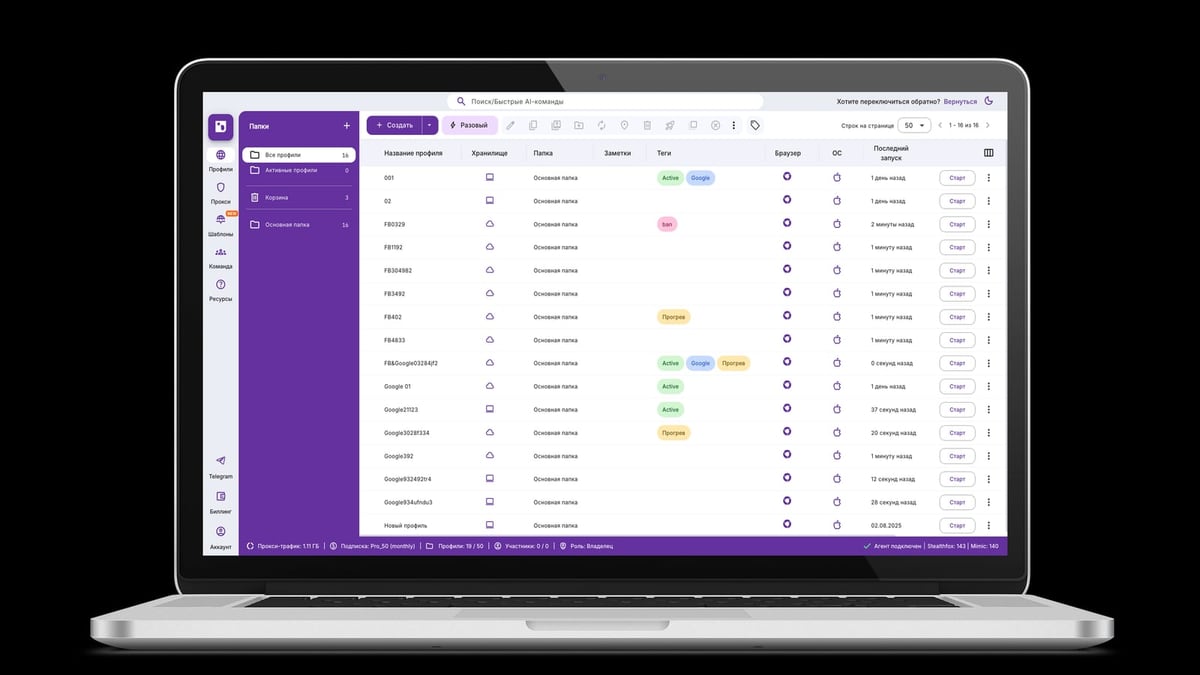
AdsPower is a professional anti-detect fingerprint browser trusted by over 9 million users worldwide. It supports Chrome (SunBrowser) and Firefox (FlowerBrowser) dual kernels, allowing you to create isolated environments with 20+ customizable fingerprint parameters. Key features include:
- Fingerprint isolation: Canvas, WebGL, Audio, WebRTC, fonts, and more
- Built-in RPA automation: Pre-built templates and drag-and-drop workflow creation
- Local API: Compatible with Selenium, Puppeteer, Playwright, and MCP protocol for AI agent integration
- Team collaboration: Role-based permissions and environment sharing
- Proxy support: HTTP, HTTPS, SOCKS5, SSH with global coverage
- Security certifications: SOC 2 Type II, ISO 27001, ISO 27701
- Free tier: 2 browser environments forever
AdsPower positions itself as a one-stop solution for secure multi-account management, eliminating the need for multiple devices or cloud servers.
Indigo Overview
AdsPower vs Indigo: Which Anti-Detect Browser Wins in 2026? product interface and feature overview.
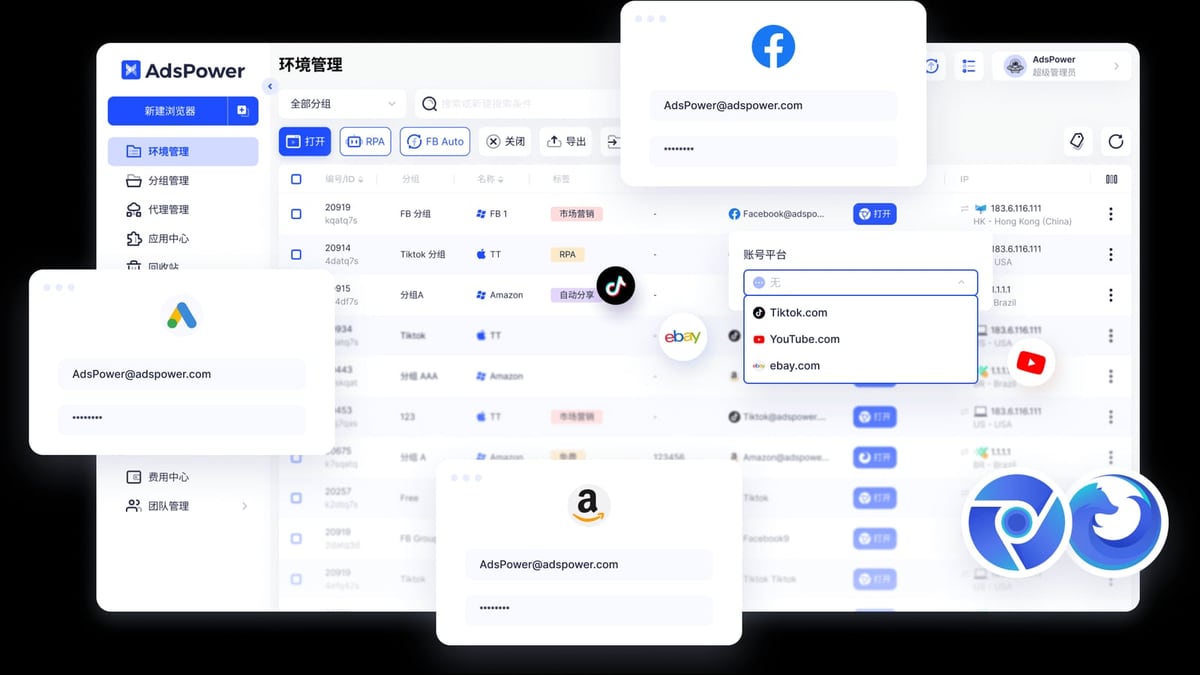
Indigo is an anti-detect browser designed primarily for traffic arbitrage and multi-accounting. It offers two browser engines: Stealthfox (based on Firefox) and Mimic (based on Chromium). Key features include:
- Fingerprint spoofing: Regular updates to fingerprint database (last update December 12, 2024)
- Automation API: For custom integrations
- Storage options: Local or encrypted cloud storage
- Access control: Project-level permissions
- Uptime guarantee: 99.98%
- Target audience: Traffic arbitrage specialists, web scrapers, bonus hunters, bounty & airdrop participants, e-commerce, and digital agencies
Indigo is built on 7 years of anti-detect technology development, but its feature set is more narrowly focused compared to AdsPower.
Head-to-Head Comparison
AdsPower vs Indigo: Which Anti-Detect Browser Wins in 2026? product interface and feature overview.
Pricing
| Plan | AdsPower | Indigo |
|---|---|---|
| Free | 2 environments forever | Not specified |
| Entry | $9/month (Professional) | Varies |
| Business | $36/month | Varies |
| Enterprise | Custom pricing | Custom pricing |
Winner: AdsPower — AdsPower offers a generous free tier and transparent, affordable pricing. Indigo’s pricing is less publicly available and often requires contacting sales.
Fingerprint Customization
Both browsers allow you to spoof Canvas, WebGL, Audio, and other fingerprint parameters. However, AdsPower provides 20+ customizable parameters, including the ability to adjust the browser version and operating system. Indigo focuses on regular fingerprint database updates but offers fewer manual controls.
Winner: AdsPower — More granular control means you can better mimic real devices.
Automation & API
AdsPower includes a built-in RPA engine with pre-built templates and a drag-and-drop workflow creator. It also offers a local API compatible with Selenium, Puppeteer, Playwright, and MCP protocol for AI agent integration. Indigo provides an automation API but lacks a visual RPA builder.
Winner: AdsPower — The built-in RPA and broader API compatibility make AdsPower more suitable for scaling operations without coding.
Team Collaboration
AdsPower supports role-based permissions, environment sharing, and multi-user management. Indigo offers project-level access control but is less mature in team collaboration features.
Winner: AdsPower — Better suited for agencies and teams that need to manage multiple users and permissions.
Security & Certifications
AdsPower holds SOC 2 Type II, ISO 27001, and ISO 27701 certifications, demonstrating enterprise-grade security. Indigo does not publicly disclose similar certifications.
Winner: AdsPower — Independent third-party audits provide greater trust.
Platform Compatibility
| Platform | AdsPower | Indigo |
|---|---|---|
| Windows | ✅ | ✅ |
| macOS | ✅ | ✅ |
| Linux | ✅ | ✅ |
| Android | ❌ | ❌ |
| Cloud | ❌ | ❌ |
Winner: Tie — Both support the same desktop platforms.
Where Indigo Falls Short
While Indigo is a capable anti-detect browser, it has several limitations compared to AdsPower:
- Limited automation: No visual RPA builder means you need coding skills to automate workflows.
- No free tier: Indigo does not offer a permanent free plan, making it harder to test before committing.
- Narrower use case focus: Primarily designed for traffic arbitrage, whereas AdsPower serves e-commerce, social media, advertising, and scraping.
- Less transparent pricing: Indigo’s pricing is not easily found online, which can be a red flag for budget-conscious users.
- Fewer security certifications: Without SOC 2 or ISO certifications, enterprise users may have compliance concerns.
Practical Examples: When to Choose Each
Choose AdsPower if:
- You manage multiple Amazon, eBay, or Shopify stores and need reliable environment isolation.
- You run Facebook, TikTok, or Google Ads accounts and want to avoid ad account bans.
- You need built-in RPA automation to streamline repetitive tasks like account creation or data entry.
- You work in a team and require role-based access and environment sharing.
- You want a free plan to test the tool before upgrading.
Choose Indigo if:
- You specialize in traffic arbitrage and need a browser optimized for that niche.
- You prefer frequent fingerprint database updates to stay ahead of detection.
- You have custom automation requirements and can code your own integrations.
Integration with Proxies and Automation Tools
For optimal performance, pair your anti-detect browser with reliable proxies. AdsPower supports HTTP, HTTPS, SOCKS5, and SSH proxies, and integrates seamlessly with proxy providers like Oxylabs for residential and datacenter IPs. You can also combine AdsPower with 2Captcha to automate CAPTCHA solving in your multi-account workflows.
If you’re comparing other anti-detect browsers, check out our detailed AdsPower vs MoreLogin vs Incogniton comparison and AdsPower vs Octo Browser comparison for more insights.
Related reading
- Oxylabs Proxy & Web Scraping Platform Review 2026 - In-depth Oxylabs review covering proxy types, Web Unblocker, Scraper API, pricing, ideal users, and decision criteria for enterprise scraping.
- Top 10 Proxy Service Providers 2026: Ranked & Reviewed - Discover the 10 best proxy service providers for 2026. Expert-ranked list with pricing, performance data, and use cases for every product.
- AdsPower + IPVanish VPN: Setup Guide for Secure Multi-Accounts - Step-by-step guide to combine AdsPower fingerprint browser with IPVanish VPN. Isolate fingerprints, mask IPs, and manage multiple accounts safely.
FAQ
Is AdsPower free?
Yes, AdsPower offers a Free Forever plan that includes 2 browser environments, basic fingerprint customization, and proxy support. You can test all features for 3 days with a free trial.
Does Indigo have a free version?
Indigo does not publicly advertise a free tier. Most users need to purchase a paid plan to access the tool.
Which browser is better for beginners?
AdsPower is more beginner-friendly thanks to its intuitive interface, pre-built RPA templates, and extensive documentation. Indigo has a steeper learning curve.
Can I use AdsPower with Selenium or Puppeteer?
Yes, AdsPower provides a local API that is compatible with Selenium, Puppeteer, Playwright, and MCP protocol for AI agent integration.
Is Indigo secure?
Indigo offers encrypted cloud storage and access control, but it lacks independent security certifications like SOC 2 or ISO 27001, which AdsPower holds.
Conclusion
Both AdsPower and Indigo are capable anti-detect browsers, but they serve different audiences. AdsPower wins on pricing, automation, team collaboration, security certifications, and versatility across e-commerce, social media, and advertising use cases. Indigo is a solid niche tool for traffic arbitrage specialists who need frequent fingerprint updates and are comfortable with custom coding.
For most users — especially those managing multiple accounts for e-commerce, affiliate marketing, or social media — AdsPower is the clear winner. Its free tier, built-in RPA, and enterprise-grade security make it the most practical choice for scaling your operations safely.
Ready to try AdsPower? Download it for free and start managing your accounts with confidence.