
How to Use AdsPower with IPRoyal: Setup, Workflow & Tips
Take a Quick Look
Learn how to use AdsPower with IPRoyal proxies: configure residential, mobile, or ISP proxies, attach them to profiles, verify fingerprints, and scale multi-account work.
🔥 Limited-Time Offer! Save extra 10% off on your first monthly plan with code: Anitdetect10
Sign upHow to Use AdsPower with IPRoyal: Setup, Workflow & Tips
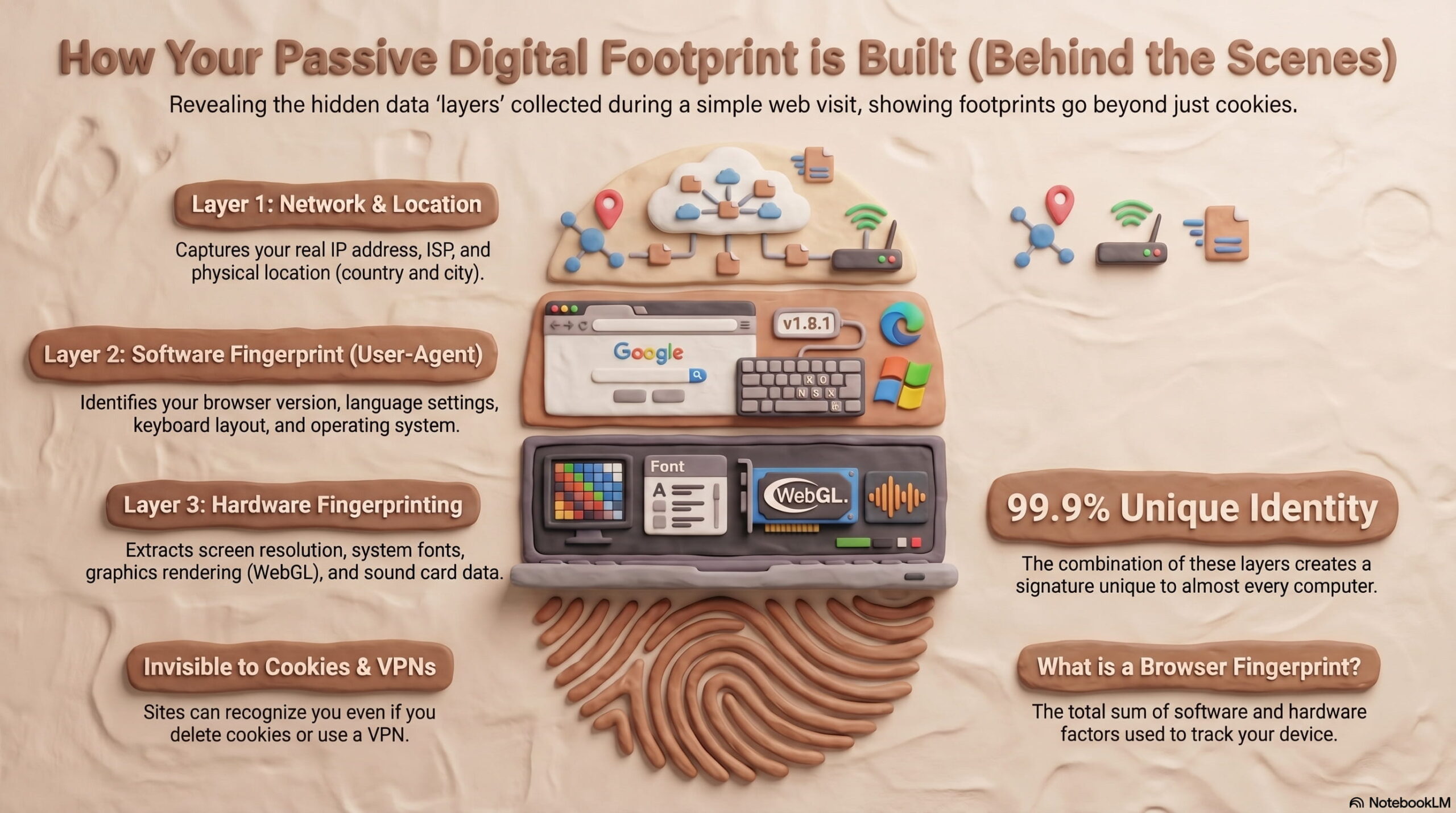
An anti-detect browser solves half of the multi-account problem. It gives every profile its own fingerprint — Canvas, WebGL, User Agent, timezone, fonts, and more — so platforms don't see one machine pretending to be many. But fingerprints alone aren't enough. If every profile still leaves through the same IP address, the accounts remain linked in the one place that matters most to fraud detection: the network layer.
That's the gap AdsPower and IPRoyal close together. AdsPower builds isolated browser environments; IPRoyal supplies the clean, geo-appropriate IPs those environments need. This guide walks through the full workflow: choosing the right IPRoyal proxy type, generating credentials, attaching them to AdsPower profiles, verifying the result, and scaling the setup across a team.
Why AdsPower Needs a Proxy Layer
How to Use AdsPower with IPRoyal: Setup, Workflow & Tips - Why AdsPower Needs a Proxy Layer.
AdsPower is built for people who run many accounts on platforms like Amazon, Facebook, TikTok, Google, and affiliate networks. Each profile is a self-contained browser identity. But a profile's identity is only as convincing as the IP behind it.
Without a proxy, every profile shares your real connection. Platforms can group those accounts by IP, subnet, or ASN and flag them as related — even when the fingerprints look completely different. A proxy assigns a distinct IP to each profile, so the network signal matches the browser signal.
The practical rule: one profile, one fingerprint, one IP. Break any part of that chain and the isolation weakens.
Why IPRoyal Fits This Workflow

How to Use AdsPower with IPRoyal: Setup, Workflow & Tips - Why IPRoyal Fits This Workflow.
IPRoyal offers several proxy types, and the right one depends on what the profile is doing.
| Proxy type | Best for | Key traits |
|---|---|---|
| Residential | Social media, e-commerce, general browsing | IPs from real devices and ISPs, country/state/city targeting, sticky sessions |
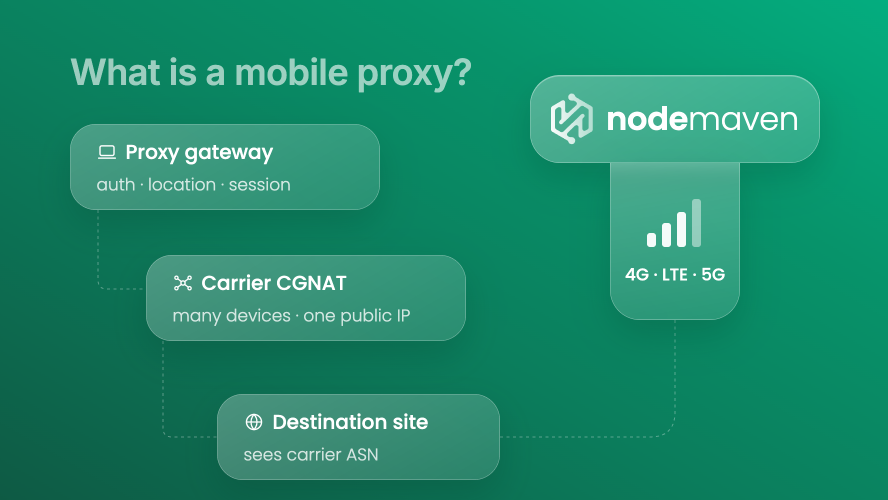
| Mobile | Mobile-first platforms, app-like sessions | IPs from real mobile carriers, high trust, limited locations |
| ISP | Long sessions needing stable, fast IPs | Static datacenter-speed IPs registered to ISPs |
| Datacenter | Scraping, bulk tasks, low-sensitivity work | Fast and cheap, easier to detect on strict platforms |
For most AdsPower multi-account work, residential proxies are the default choice because they blend in with ordinary users. Mobile proxies make sense when the target platform weighs mobile traffic heavily. ISP proxies suit accounts that need to stay on one stable IP for weeks.
IPRoyal's residential pool covers 195+ countries with city-level targeting, non-expiring traffic, and sticky sessions you can hold for extended periods. That combination matters for AdsPower because a profile's IP should stay consistent across a login session — not rotate mid-task.
Step-by-Step: Connecting IPRoyal to AdsPower
How to Use AdsPower with IPRoyal: Setup, Workflow & Tips - Step-by-Step: Connecting IPRoyal to AdsPower.
Step 1 — Generate proxy credentials in IPRoyal
- Log in to your IPRoyal dashboard.
- Open the residential (or mobile/ISP) proxy configuration page.
- Choose your targeting: country, and optionally state or city.
- Select the protocol — HTTP/HTTPS or SOCKS5. AdsPower supports both.
- Set the session type. Use sticky sessions with a duration that matches your task (for example, 12 hours or 7 days) so the profile keeps the same IP.
- Scroll to the Formatted Proxy List, enter how many unique sessions you need, and copy the list.
Each line in that list is a ready-to-paste host:port:username:password string.
Step 2 — Add the proxy to AdsPower
- Open AdsPower and click Proxies in the left menu.
- Click Add Proxy.
- Choose the proxy type that matches what you configured in IPRoyal.
- Paste your credentials into the input box. AdsPower parses the formatted string automatically.
- Click OK to save.
If you'd rather keep proxy handling separate, you can also follow a similar pattern to our AdsPower with MyPrivateProxy setup guide — the flow is nearly identical across providers.
Step 3 — Attach the proxy to a profile
- Open an existing profile or create a new one.
- Scroll to the Proxy section.
- Click Saved Proxies and select the IPRoyal entry you just added.
- Click Check proxy. AdsPower will show the detected IP address and location.
- Confirm the location matches your intended targeting.
- Finish the rest of the profile configuration and click OK.
Step 4 — Verify before you work
Back in the Profiles list, click Open next to your profile. Once the browser launches, visit a fingerprint and IP testing site such as BrowserScan or IPRoyal's own proxy tester.
Check three things:
- The IP shown matches the proxy you assigned.
- The geolocation is consistent with the profile's timezone and language settings.
- The fingerprint reads as a normal browser, not a headless or automation-flagged one.
If any of these fail, fix it before logging into a real account. A bad first session is much harder to undo than a delayed one.
Practical Examples

How to Use AdsPower with IPRoyal: Setup, Workflow & Tips - Practical Examples.
E-commerce seller running 20 Amazon accounts. Assign one residential IP per account, targeted to the marketplace's country. Keep sticky sessions long enough to cover a full workday so the account never appears to jump cities mid-session.
Social media agency managing TikTok and Instagram clients. Use mobile proxies for accounts that primarily post and engage from phones. Match the proxy country to the audience the client targets.
Affiliate marketer testing landing pages across regions. Use city-level residential targeting to see the same offer as a local user, then compare conversion signals across geos.
Web scraping team. Pair AdsPower profiles with datacenter or ISP proxies for speed, and reserve residential IPs for pages that block datacenter ranges. If your scraping stack includes headless automation, our Selenium setup guide covers how to wire a browser driver into an anti-detect environment.
Common Mistakes to Avoid
- Reusing one IP across profiles. This defeats the purpose of separate fingerprints. One profile, one IP.
- Rotating IPs mid-session. Sudden IP changes look suspicious on logged-in accounts. Use sticky sessions.
- Mismatched geolocation. A profile set to Germany with a Brazilian IP is an instant red flag.
- Skipping verification. Always run the proxy check and a fingerprint test before the first real login.
- Ignoring platform restrictions. Some IPRoyal residential endpoints restrict access to certain sites (LinkedIn and PlayStation, for example) to protect pool quality. Verify your target site is reachable before committing a profile to it.
Scaling the Setup Across a Team
Once the basic connection works, AdsPower's team features make the setup manageable at scale. Role-based permissions control who can view or edit profiles, activity logs track every session, and stored credentials keep proxy passwords out of shared documents. Window synchronization lets several operators work on related profiles at once without stepping on each other.
For teams running dozens or hundreds of profiles, batch proxy assignment and profile grouping in AdsPower reduce the manual overhead considerably. If you're evaluating whether AdsPower is the right browser for your operation, our AdsPower vs Octo Browser vs Maskfog comparison breaks down fingerprint isolation, automation, and pricing side by side.
Related reading
- Encrypted Cloud Storage: How It Works & Best Options 2026 - Learn how encrypted cloud storage works, compare zero-knowledge providers like Sync.com, Proton Drive, and pCloud, and secure your files in 2026.
- How to Use AdsPower with Scrapingpass: Setup and Workflow - Combine AdsPower anti-detect profiles with the Scrapingpass API to render JavaScript pages, rotate proxies, and scale multi-account scraping safely.
- AdsPower vs Undetectable vs MuLogin: 2026 Browser Comparison - Compare AdsPower, Undetectable, and MuLogin anti-detect browsers on fingerprints, automation, pricing, and team features to choose the right fit.
Sources and further reading
- How to Use IPRoyal Proxies With AdsPower - How to Use IPRoyal Proxies With AdsPower
- How to Setup AdsPower With IPRoyal - Try AdsPower today! https://share.adspower.net/IPROYAL with code IPROYAL get a 10% discount for the first month and an extra 5% off on all plans.👉 Looking ...
- How to Use IPRoyal Proxies With AdsPower - AdsPower is one of the most popular antidetect browsers. It’s an easy-to-use and effective multi-accounting tool available on Windows, MacOS (Intel and Apple silicon), and Linux. Since its launch in 2019, it has managed to establish an impressive client base of over three million users, and it’s easy to see why.
FAQ
Do I need a separate IPRoyal proxy for every AdsPower profile? Yes, for any profile you want to keep isolated. Sharing an IP across profiles re-links them at the network level, which is exactly what anti-detect browsers are designed to prevent.
Which IPRoyal proxy type should I use with AdsPower? Residential proxies are the safest default for social media and e-commerce. Mobile proxies suit mobile-first platforms. ISP proxies work well for accounts that need a stable, long-term IP. Datacenter proxies are best for low-sensitivity, high-volume tasks.
How long should sticky sessions last? Match the session to your task. A few hours for short campaigns, up to several days for accounts that should appear to stay in one place. Avoid changing IPs while logged in.
What protocol should I choose — HTTP or SOCKS5? AdsPower supports both. SOCKS5 handles more traffic types and can be slightly faster for some workloads; HTTP/HTTPS is simpler to debug. Either works for standard browsing.
Why does my proxy check fail in AdsPower? Common causes: wrong credentials, expired session, incorrect protocol selection, or a target site that blocks the proxy range. Re-copy the formatted string from IPRoyal and test again.
Can I use IPRoyal's Web Unblocker with AdsPower? The Web Unblocker is designed for automated request pipelines rather than browser sessions. For AdsPower profiles, standard residential, mobile, or ISP proxies are the appropriate fit.
Conclusion
AdsPower and IPRoyal solve two halves of the same problem. AdsPower makes each profile look like a distinct browser; IPRoyal makes each profile look like a distinct user on the network. Get both right — matching proxy type to task, using sticky sessions, verifying before every first login — and multi-account work becomes predictable instead of risky. Start with one profile, confirm the IP and fingerprint align, then scale the pattern across your team.